Langfuse on Doris
About Langfuse
Langfuse is an open-source LLM engineering platform that provides comprehensive observability solutions for large language model applications. It offers the following core features:
- Tracing: Complete recording of LLM application call chains and execution flows
- Evaluation: Multi-dimensional model performance evaluation and quality analysis
- Prompt Management: Centralized management and version control of prompt templates
- Metrics Monitoring: Real-time monitoring of application performance, cost, and quality metrics
This document provides detailed instructions on how to deploy a Langfuse solution using Apache Doris as the analytics backend, fully leveraging Doris's powerful OLAP analytics capabilities to process large-scale LLM application data.
System Architecture
The Langfuse on Doris solution uses a microservices architecture with the following core components:
| Component | Ports | Description |
|---|---|---|
| Langfuse Web | 3000 | Web interface and API service for user interaction and data ingestion |
| Langfuse Worker | 3030 | Async task processing for data processing and analytics tasks |
| PostgreSQL | 5432 | Transactional data storage for user configuration and metadata |
| Redis | 6379 | Cache layer and message queue for improved system response performance |
| MinIO | 9090 | Object storage service for raw events and multi-modal attachments |
| Doris Fe | 9030 8030 | Doris Frontend, part of the Doris architecture, responsible for receiving user requests, query parsing and planning, metadata management, and node management |
| Doris Be | 8040 8050 | Doris Backends, part of the Doris architecture, responsible for data storage and query plan execution. Data is split into shards and stored with multiple replicas in BE nodes. |
::: note
When deploying Apache Doris, you can choose between integrated compute-storage architecture or disaggregated compute-storage architecture based on your hardware environment and business requirements. For Langfuse deployment, Docker Doris is not recommended for production environments. The FE and BE components included in Docker are intended for users to quickly experience the Langfuse on Doris capabilities.
:::
flowchart TB
    User["UI, API, SDKs"]
    subgraph vpc["VPC"]
        Web["Web Server<br/>(langfuse/langfuse)"]
        Worker["Async Worker<br/>(langfuse/worker)"]
        Postgres["Postgres - OLTP<br/>(Transactional Data)"]
        Cache["Redis/Valkey<br/>(Cache, Queue)"]
        Doris["Doris - OLAP<br/>(Observability Data)"]
        S3["S3 / Blob Storage<br/>(Raw events, multi-modal attachments)"]
    end
    LLM["LLM API/Gateway<br/>(optional)"]

    User --> Web
    Web --> S3
    Web --> Postgres
    Web --> Cache
    Web --> Doris
    Web -.->|"optional for playground"| LLM

    Cache --> Worker
    Worker --> Doris
    Worker --> Postgres
    Worker --> S3
    Worker -.->|"optional for evals"| LLM
Deployment Requirements
Software Environment
| Component | Version | Description |
|---|---|---|
| Docker | 20.0+ | Container runtime environment |
| Docker Compose | 2.0+ | Container orchestration tool |
| Apache Doris | 2.1.10+ | Analytics database, requires separate deployment |
Hardware Resources
| Resource Type | Minimum | Recommended | Description |
|---|---|---|---|
| Memory | 8GB | 16GB+ | Supports multi-service concurrent operation |
| Disk | 50GB | 100GB+ | Storage for container data and logs |
| Network | 1Gbps | 10Gbps | Ensures data transfer performance |
Prerequisites
-
Doris Cluster Preparation
- Ensure the Doris cluster is running properly with stable performance
- Verify that FE HTTP port (default 8030) and query port (default 9030) are network accessible
- Langfuse will automatically create the required database and table structures in Doris after startup
-
Network Connectivity
- Deployment environment can access Docker Hub to pull images
- Langfuse services can access the relevant ports of the Doris cluster
- Clients can access the Langfuse Web service port
It is recommended to use Docker to deploy Langfuse service components (Web, Worker, Redis, PostgreSQL), but Doris is recommended to be deployed separately for better performance and stability. Please refer to the official documentation for detailed Doris deployment guide.
Configuration Parameters
Langfuse services require multiple environment variables to support the proper operation of each component:
Doris Analytics Backend Configuration
| Parameter | Example Value | Description |
|---|---|---|
LANGFUSE_ANALYTICS_BACKEND | doris | Specify Doris as the analytics backend |
DORIS_FE_HTTP_URL | http://localhost:8030 | Doris FE HTTP service address |
DORIS_FE_QUERY_PORT | 9030 | Doris FE query port |
DORIS_DB | langfuse | Doris database name |
DORIS_USER | root | Doris username |
DORIS_PASSWORD | 123456 | Doris password |
DORIS_MAX_OPEN_CONNECTIONS | 100 | Maximum database connections |
DORIS_REQUEST_TIMEOUT_MS | 300000 | Request timeout in milliseconds |
Basic Service Configuration
| Parameter | Example Value | Description |
|---|---|---|
DATABASE_URL | postgresql://postgres:postgres@langfuse-postgres:5432/postgres | PostgreSQL database connection URL |
NEXTAUTH_SECRET | your-debug-secret-key-here-must-be-long-enough | NextAuth authentication key for session encryption |
SALT | your-super-secret-salt-with-at-least-32-characters-for-encryption | Data encryption salt (at least 32 characters) |
ENCRYPTION_KEY | 0000000000000000000000000000000000000000000000000000000000000000 | Data encryption key (64 characters) |
NEXTAUTH_URL | http://localhost:3000 | Langfuse Web service address |
TZ | UTC | System timezone setting |
Redis Cache Configuration
| Parameter | Example Value | Description |
|---|---|---|
REDIS_HOST | langfuse-redis | Redis service host address |
REDIS_PORT | 6379 | Redis service port |
REDIS_AUTH | myredissecret | Redis authentication password |
REDIS_TLS_ENABLED | false | Whether to enable TLS encryption |
REDIS_TLS_CA | - | TLS CA certificate path |
REDIS_TLS_CERT | - | TLS client certificate path |
REDIS_TLS_KEY | - | TLS private key path |
Data Migration Configuration
| Parameter | Example Value | Description |
|---|---|---|
LANGFUSE_ENABLE_BACKGROUND_MIGRATIONS | false | Disable background migrations (must be disabled when using Doris) |
LANGFUSE_AUTO_DORIS_MIGRATION_DISABLED | false | Enable Doris auto migration |
Docker Compose Deployment
Pre-deployment Preparation
Here we provide a compose example that can be started directly. Modify the configuration according to your requirements.
Download docker compose
wget https://apache-doris-releases.oss-cn-beijing.aliyuncs.com/extension/docker-langfuse-doris.tar.gz
The directory structure for compose file and configuration file is as follows:
docker-langfuse-doris
├── docker-compose.yml
└── doris-config
    └── fe_custom.conf
Deployment Steps
1 . Start compose
docker compose up -d
# Check
$ docker compose up -d
[+] Running 9/9
 ✔ Network docker-langfuse-doris_doris_internal  Created                                                                                                                                                                                               0.1s
 ✔ Network docker-langfuse-doris_default         Created                                                                                                                                                                                               0.1s
 ✔ Container doris_fe                            Healthy                                                                                                                                                                                              13.8s
 ✔ Container langfuse-postgres                   Healthy                                                                                                                                                                                              13.8s
 ✔ Container langfuse-redis                      Healthy                                                                                                                                                                                              13.8s
 ✔ Container langfuse-minio                      Healthy                                                                                                                                                                                              13.8s
 ✔ Container doris_be                            Healthy                                                                                                                                                                                              54.3s
 ✔ Container langfuse-worker                     Started                                                                                                                                                                                              54.8s
 ✔ Container langfuse-web                        Started
3. Verify Deployment
Check service status:
When all service statuses show as Healthy, the compose has started successfully.
$ docker compose ps
NAME                IMAGE                             COMMAND                  SERVICE           CREATED         STATUS                        PORTS
doris_be            apache/doris:be-2.1.11            "bash entry_point.sh"    doris_be          2 minutes ago   Up 2 minutes (healthy)        0.0.0.0:8040->8040/tcp, :::8040->8040/tcp, 0.0.0.0:8060->8060/tcp, :::8060->8060/tcp, 0.0.0.0:9050->9050/tcp, :::9050->9050/tcp, 0.0.0.0:9060->9060/tcp, :::9060->9060/tcp
doris_fe            apache/doris:fe-2.1.11            "bash init_fe.sh"        doris_fe          2 minutes ago   Up 2 minutes (healthy)        0.0.0.0:8030->8030/tcp, :::8030->8030/tcp, 0.0.0.0:9010->9010/tcp, :::9010->9010/tcp, 0.0.0.0:9030->9030/tcp, :::9030->9030/tcp
langfuse-minio      minio/minio                       "sh -c 'mkdir -p /da…"   minio             2 minutes ago   Up 2 minutes (healthy)        0.0.0.0:19090->9000/tcp, :::19090->9000/tcp, 127.0.0.1:19091->9001/tcp
langfuse-postgres   postgres:latest                   "docker-entrypoint.s…"   postgres          2 minutes ago   Up 2 minutes (healthy)        127.0.0.1:5432->5432/tcp
langfuse-redis      redis:7                           "docker-entrypoint.s…"   redis             2 minutes ago   Up 2 minutes (healthy)        127.0.0.1:16379->6379/tcp
langfuse-web        selectdb/langfuse-web:latest      "dumb-init -- ./web/…"   langfuse-web      2 minutes ago   Up About a minute (healthy)   0.0.0.0:13000->3000/tcp, :::13000->3000/tcp
langfuse-worker     selectdb/langfuse-worker:latest   "dumb-init -- ./work…"   langfuse-worker   2 minutes ago   Up About a minute (healthy)   0.0.0.0:3030->3030/tcp, :::3030->3030/tcp
4. Service Initialization
After deployment is complete, access and initialize the service as follows:
Access Langfuse Web Interface:
Initialization Steps:
- Open your browser and navigate to http://localhost:3000
- Create an administrator account and log in
- Create a new organization and project
- Obtain the project's API Keys (Public Key and Secret Key)
- Configure the authentication information required for SDK integration
Examples
Using Langfuse SDK
import os
# Instead of: import openai
from langfuse.openai import OpenAI
# from langfuse import observe

# Langfuse config
os.environ["LANGFUSE_SECRET_KEY"] = "sk-lf-******-******"
os.environ["LANGFUSE_PUBLIC_KEY"] = "pk-lf-******-******"
os.environ["LANGFUSE_HOST"] = "http://localhost:3000"


# use OpenAI client
client = OpenAI()


# ask a question
question = "What are the key features of the Doris observability solution? Please answer concisely."
print(f"question: {question}")

completion = client.chat.completions.create(
    model="gpt-4o",
    messages=[
        {"role": "user", "content": question}
    ]
)
response = completion.choices[0].message.content
print(f"response: {response}")
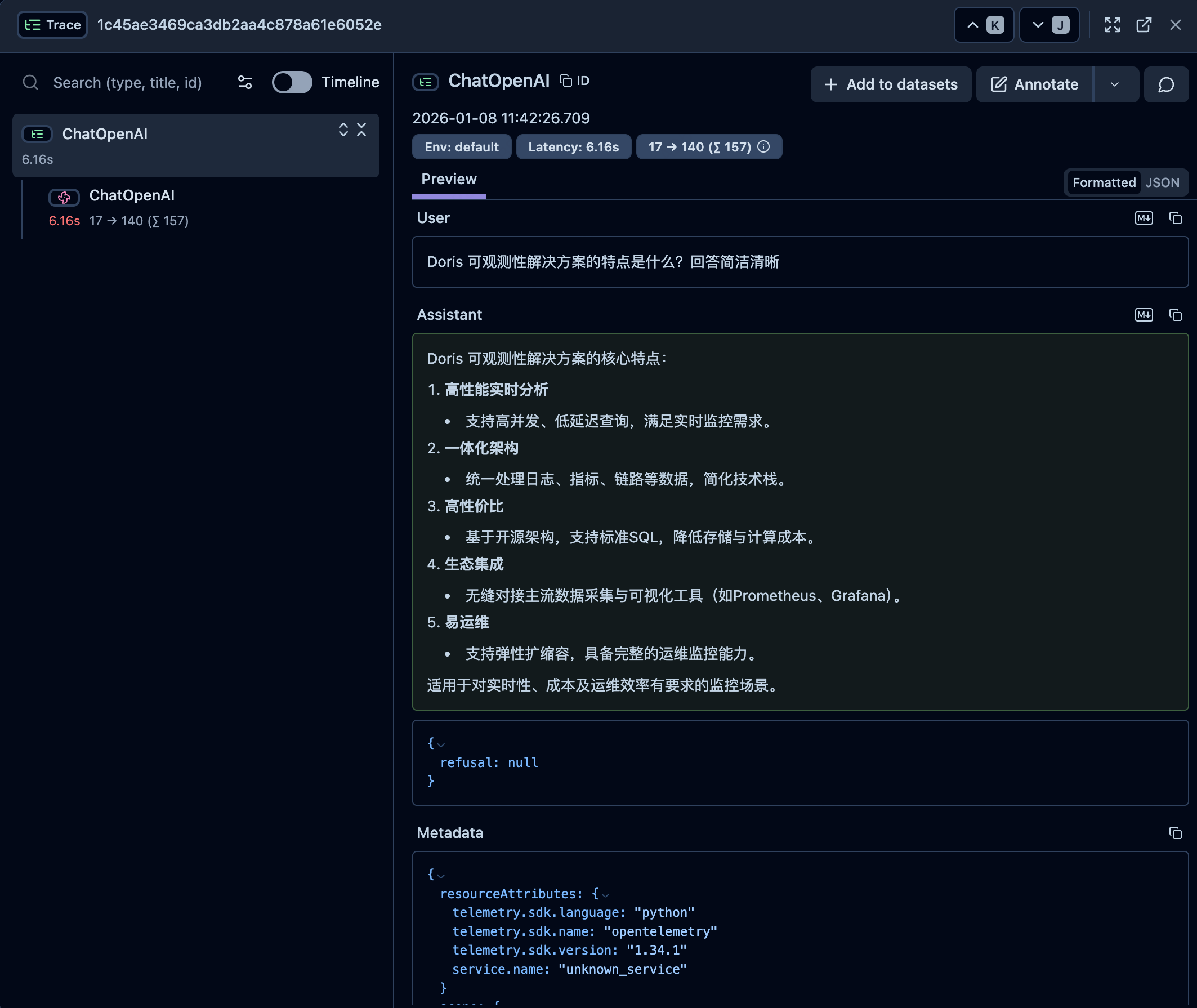
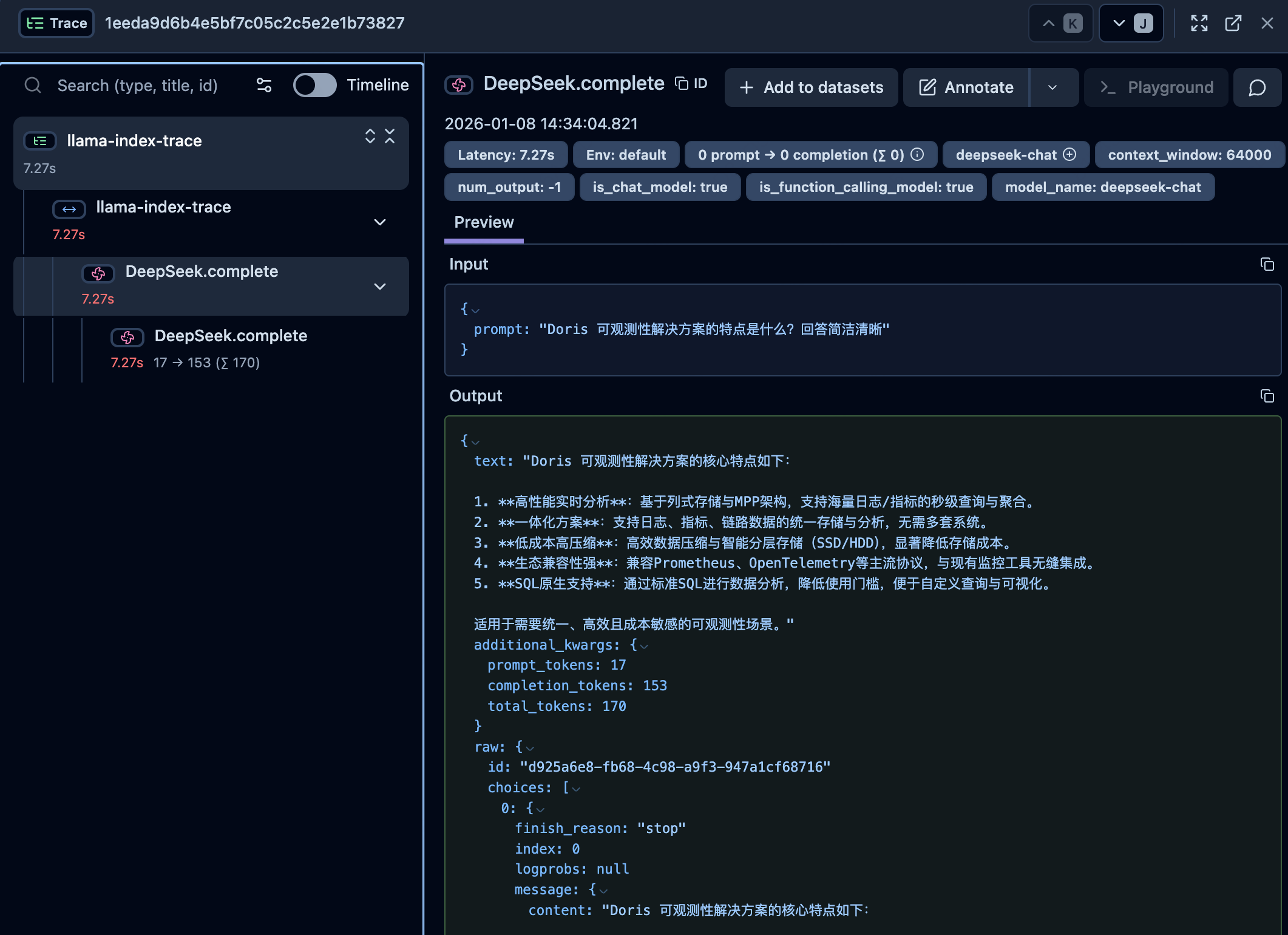
Using LangChain SDK
import os
from langfuse.langchain import CallbackHandler
from langchain_openai import ChatOpenAI

# Langfuse config
os.environ["LANGFUSE_SECRET_KEY"] = "sk-lf-******-******"
os.environ["LANGFUSE_PUBLIC_KEY"] = "pk-lf-******-******"
os.environ["LANGFUSE_HOST"] = "http://localhost:3000"

# Create your LangChain components (using OpenAI API)
llm = ChatOpenAI(
    model="gpt-4o"
)

# ask a question
question = "What are the key features of the Doris observability solution? Please answer concisely."
print(f"question: {question} \n")

# Run your chain with Langfuse tracing
try:
    # Initialize the Langfuse handler
    langfuse_handler = CallbackHandler()
    response = llm.invoke(question, config={"callbacks": [langfuse_handler]})
    print(f"response: {response.content}")
except Exception as e:
    print(f"Error during chain execution: {e}")
Using LlamaIndex SDK
import os
from langfuse import get_client
from openinference.instrumentation.llama_index import LlamaIndexInstrumentor
from llama_index.llms.openai import OpenAI

# Langfuse config
os.environ["LANGFUSE_SECRET_KEY"] = "sk-lf-******-******"
os.environ["LANGFUSE_PUBLIC_KEY"] = "pk-lf-******-******"
os.environ["LANGFUSE_HOST"] = "http://localhost:3000"

langfuse = get_client()


# Initialize LlamaIndex instrumentation
LlamaIndexInstrumentor().instrument()


# Set up the OpenAI class with the required model
llm = OpenAI(model="gpt-4o")


# ask a question
question = "What are the key features of the Doris observability solution? Please answer concisely."
print(f"question: {question} \n")

with langfuse.start_as_current_span(name="llama-index-trace"):
    response = llm.complete(question)
    print(f"response: {response}")