CloudDM
Overview
CloudDM, developed by Clougence, is a cross-platform database tool for teams and individual users. It helps users perform database changes and management securely, efficiently, and in compliance with regulations.
In Apache Doris scenarios, CloudDM provides dedicated adaptations for Doris features, supporting data access, data masking, visual editing, and database CI/CD. After reading this article, you can complete the following tasks:
- Add a Doris data source in CloudDM.
- Enable data management for a Doris instance and test the connection.
- Use CloudDM to access and manage Doris data.
Preparation
| Item | Requirement |
|---|---|
| CloudDM | CloudDM is installed. You can visit the CloudDM official website to download and install it. |
| Verified version | This article is verified with CloudDM 2.8.0.0. |
Connect to a Doris data source
1. Add a Doris data source
- Log in to CloudDM.
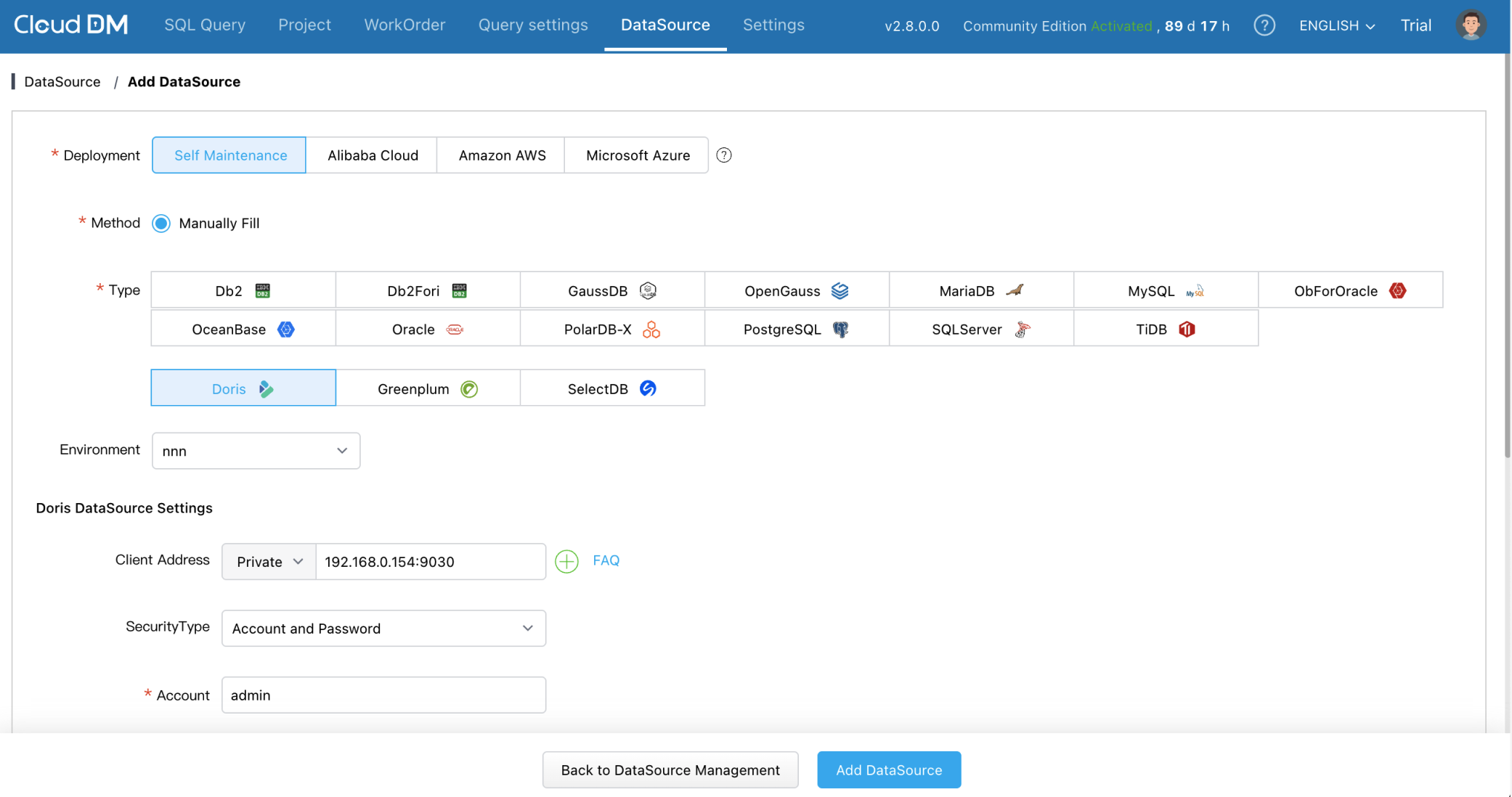
- In the navigation bar, click Data Source Management > Add Data Source.
- Select the Doris data source.
2. Configure connection information
On the add data source page, configure the following connection information:
| Item | Description |
|---|---|
| Client address | The FE query port of the Doris cluster machine, for example, hostID:9030. |
| Account | The username used to log in to the Doris cluster, for example, admin. |
| Password | The password of the user used to log in to the Doris cluster. |
Doris is divided into internal catalog and external catalog, and CloudDM can manage both of them at the same time.
To manage the Doris external catalog in the form of catalog.db databases, the Doris version must be 2.1.0 or later.
3. Enable data management and test the connection
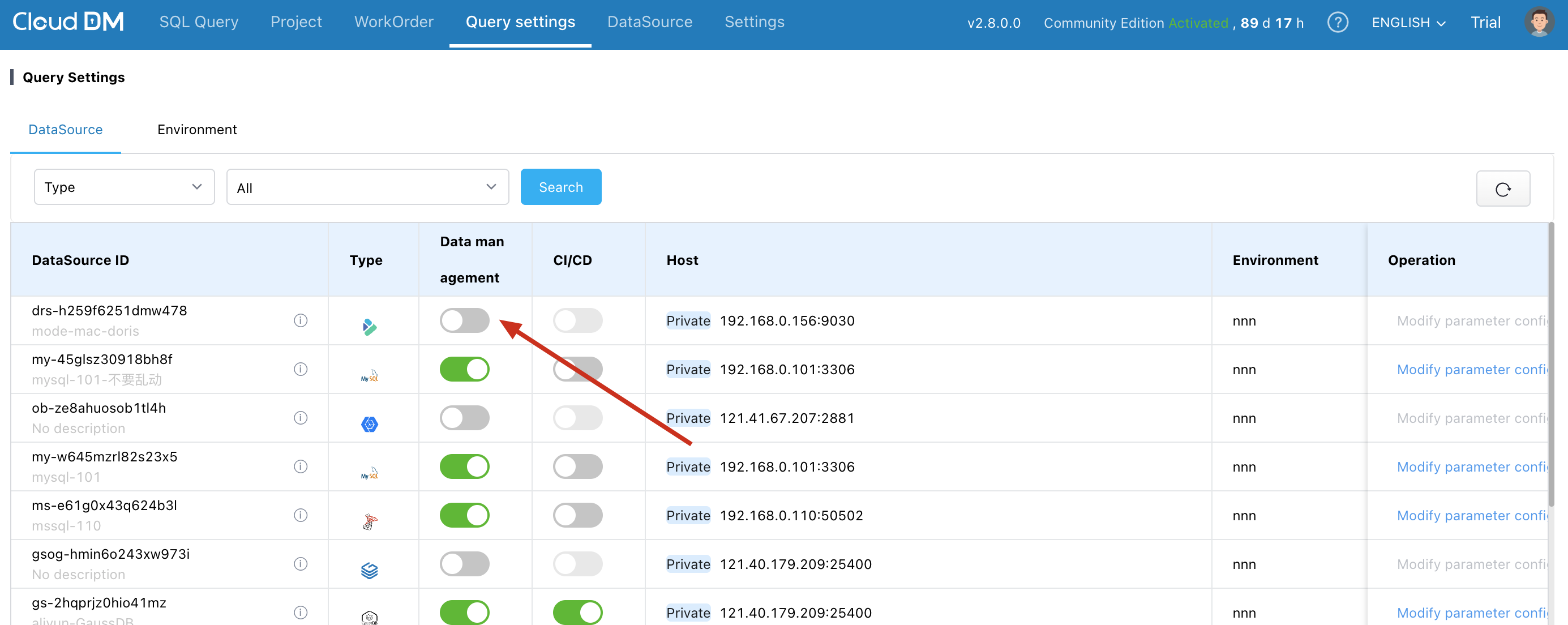
At the top, click Query Settings > Query Configuration to enable data management for the Doris instance and test the connection.
4. Access Doris data
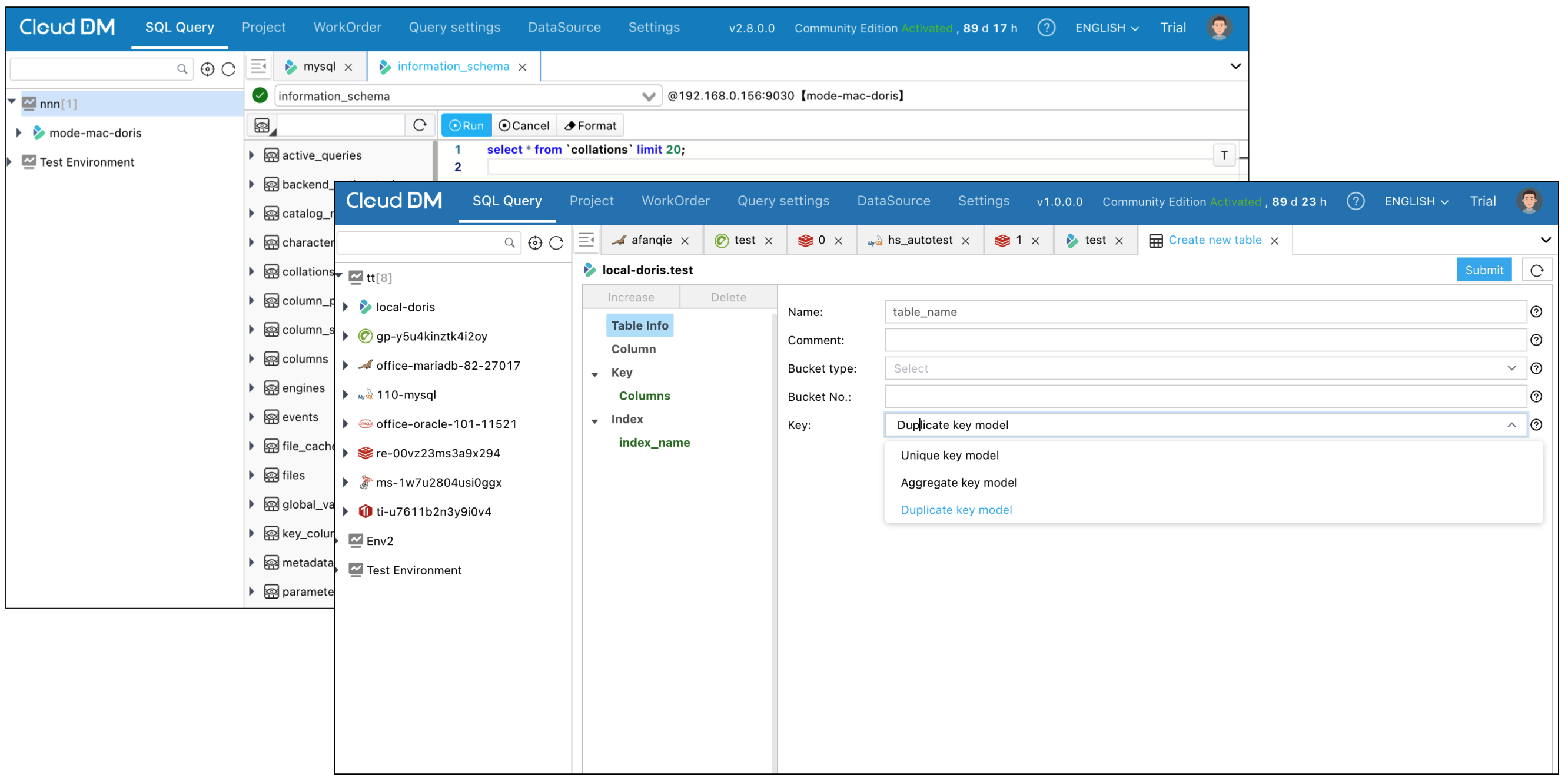
After the database connection is established, you can see the connected data source in the database connection navigation on the left, and connect to and manage the database through CloudDM.
Supported Doris management scenarios
CloudDM supports the following two categories of Doris features:
| Scenario | Supported capabilities |
|---|---|
| Query client | Visually manage database objects in Doris; write SQL in the console to operate Doris; export query results. |
| Team usage | Statement-level authorization down to the table level; ticket approval; database CI/CD; sensitive data masking; SQL review rules. |