Superset
Apache Superset is an open-source data exploration platform that supports a wide range of data source connections, multiple visualization styles, and fine-grained user permission control. Its core features include self-service analysis, custom dashboards, visual export of analysis results, user/role permission control, and a built-in SQL editor.
Goal of this article: Configure an Apache Doris data source in Apache Superset 3.1 to enable data querying and visualization.
| Component | Recommended version | Notes |
|---|---|---|
| Apache Superset | 3.1 or later | Officially supports Apache Doris connections |
| Apache Doris | 2.0.4 or later | Recommended |
| Python | 3.9 / 3.10 / 3.11 | Use a stable version |
| pydoris | 1.1.0 | Doris Python client |
Prerequisites
Before you start the configuration, complete the following preparations:
-
Install Apache Superset 3.1 or later.
Refer to the Superset official installation guide.
-
Install the Apache Doris Python client:
pip install pydoris -
Verify the installation:
pip list | grep pydoris
# Expected output:
# pydoris                       1.1.0
Step 1: Configure the Doris data source
After preparing the environment, follow these steps to add a Doris data source in Superset.
1. Get the SQLAlchemy connection string
Doris uses the following SQLAlchemy URI format:
doris://<username>:<password>@<host>:<port>/<Catalog>.<database>
Parameter description:
| Parameter | Meaning | Example |
|---|---|---|
| username | Doris connection username | testuser |
| password | User password | xxxxxx |
| host | Database host | 127.0.1.28 |
| port | Query port | 9030 |
| Catalog | Doris Catalog. Use internal for internal tables, or specify the corresponding Catalog when querying a data lake through external tables. | internal |
| database | Database name | tpch |
2. Add a data source in Superset
-
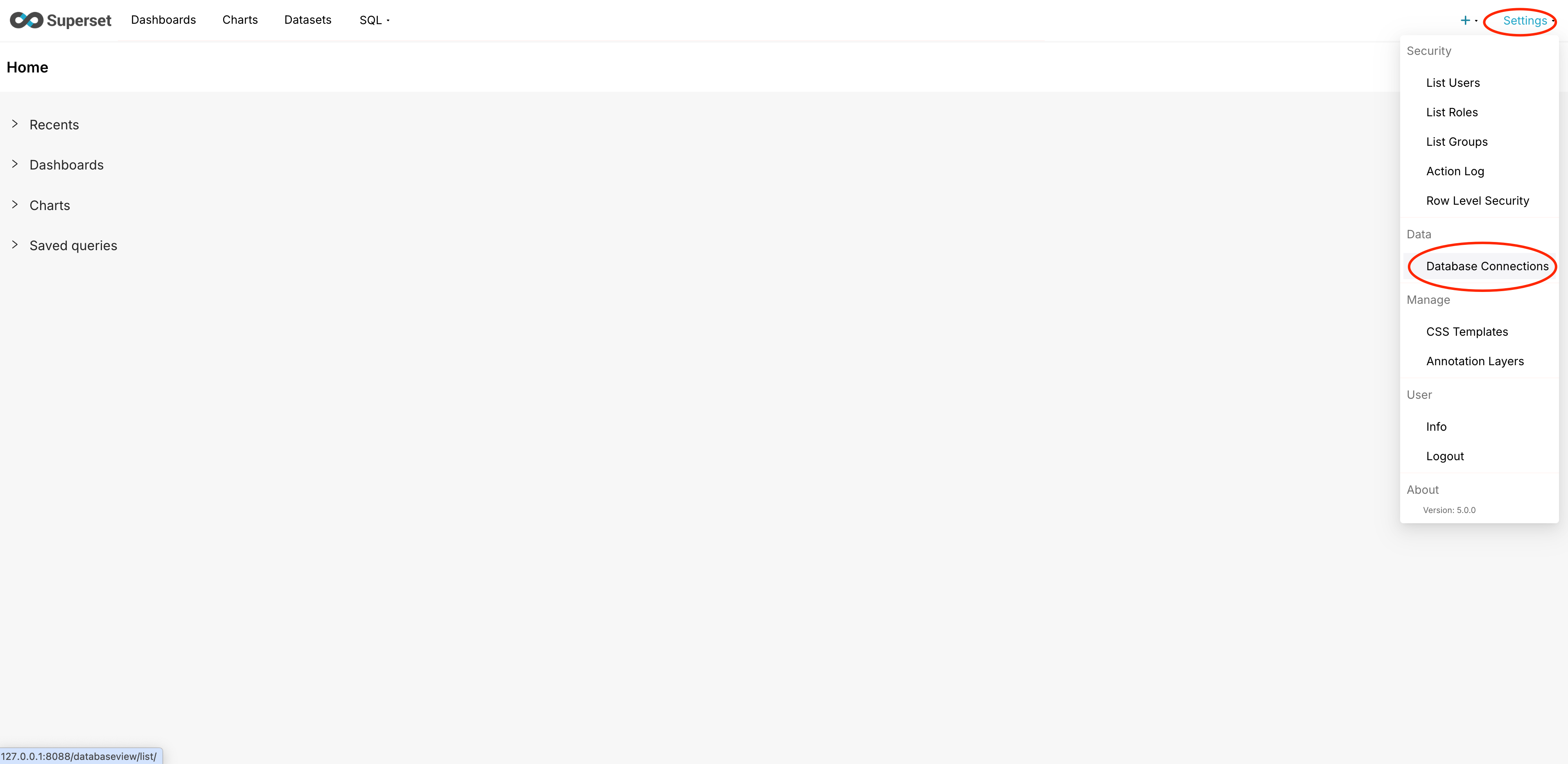
Open the Superset web interface and click Settings in the upper-right corner, then Database Connectors.
-
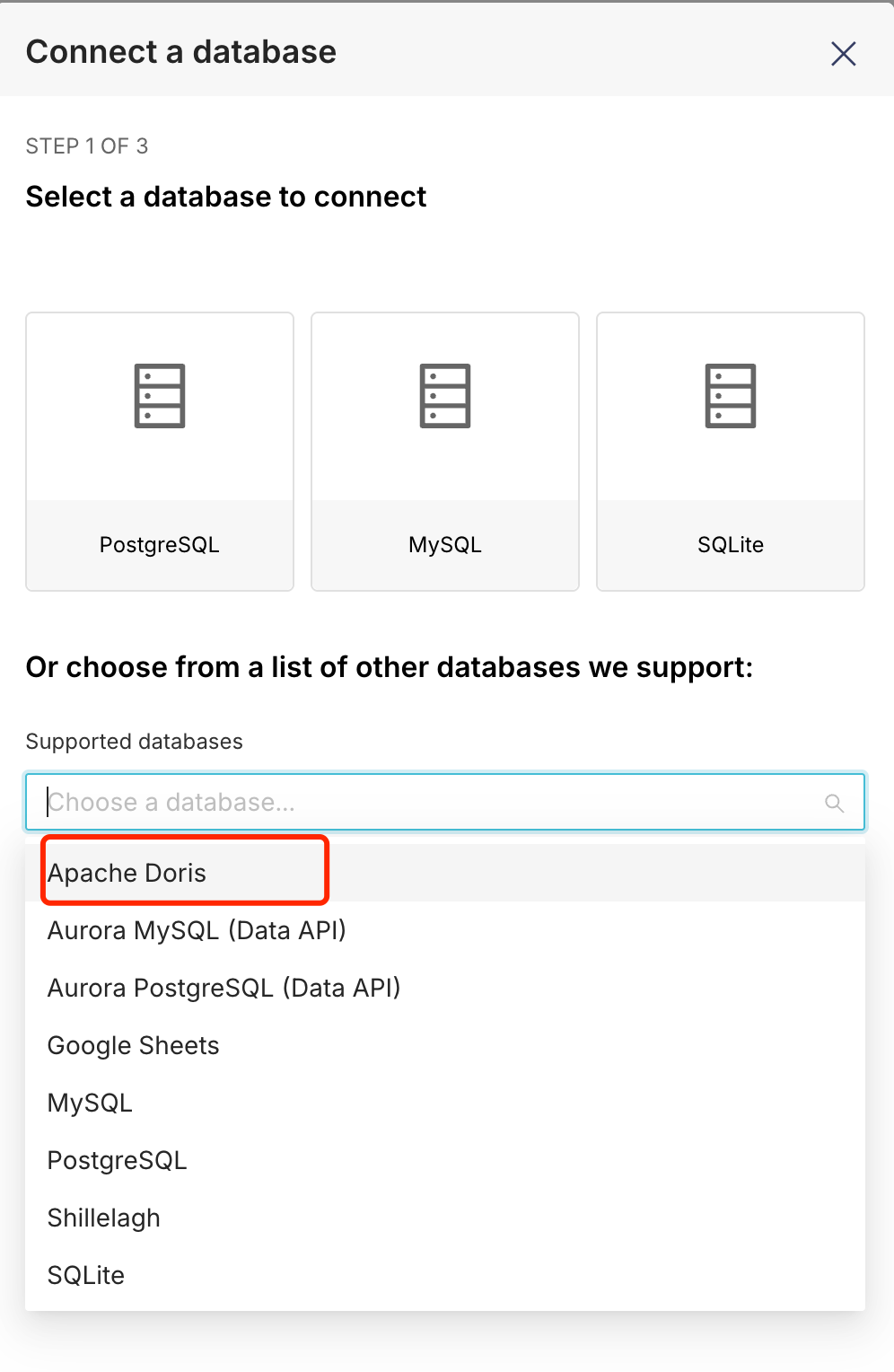
Click + Add Database, and in the Connect a Database dialog, select Apache Doris.
-
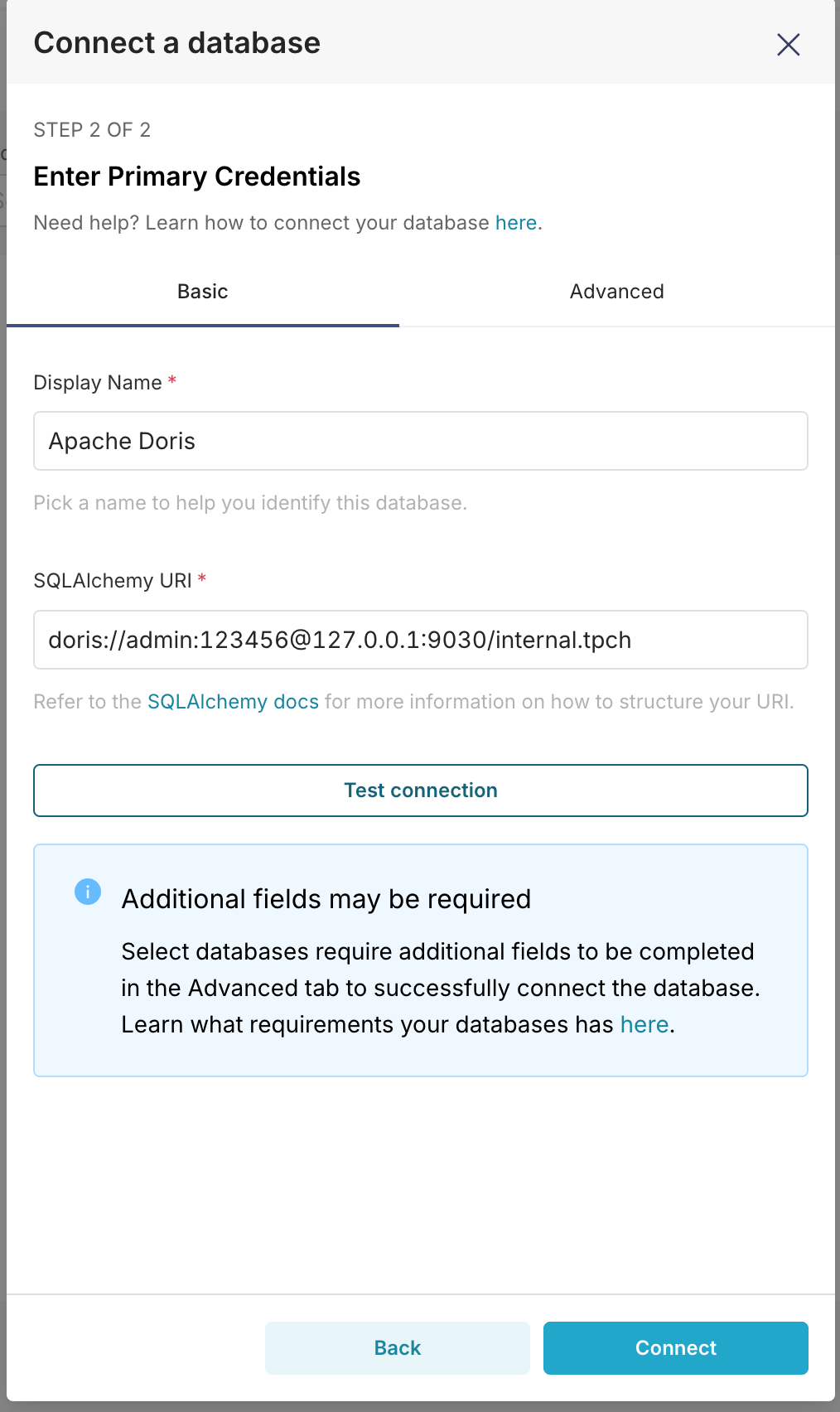
Fill in the SQLAlchemy URI in the connection details. After the connection test passes, click Connect.
-
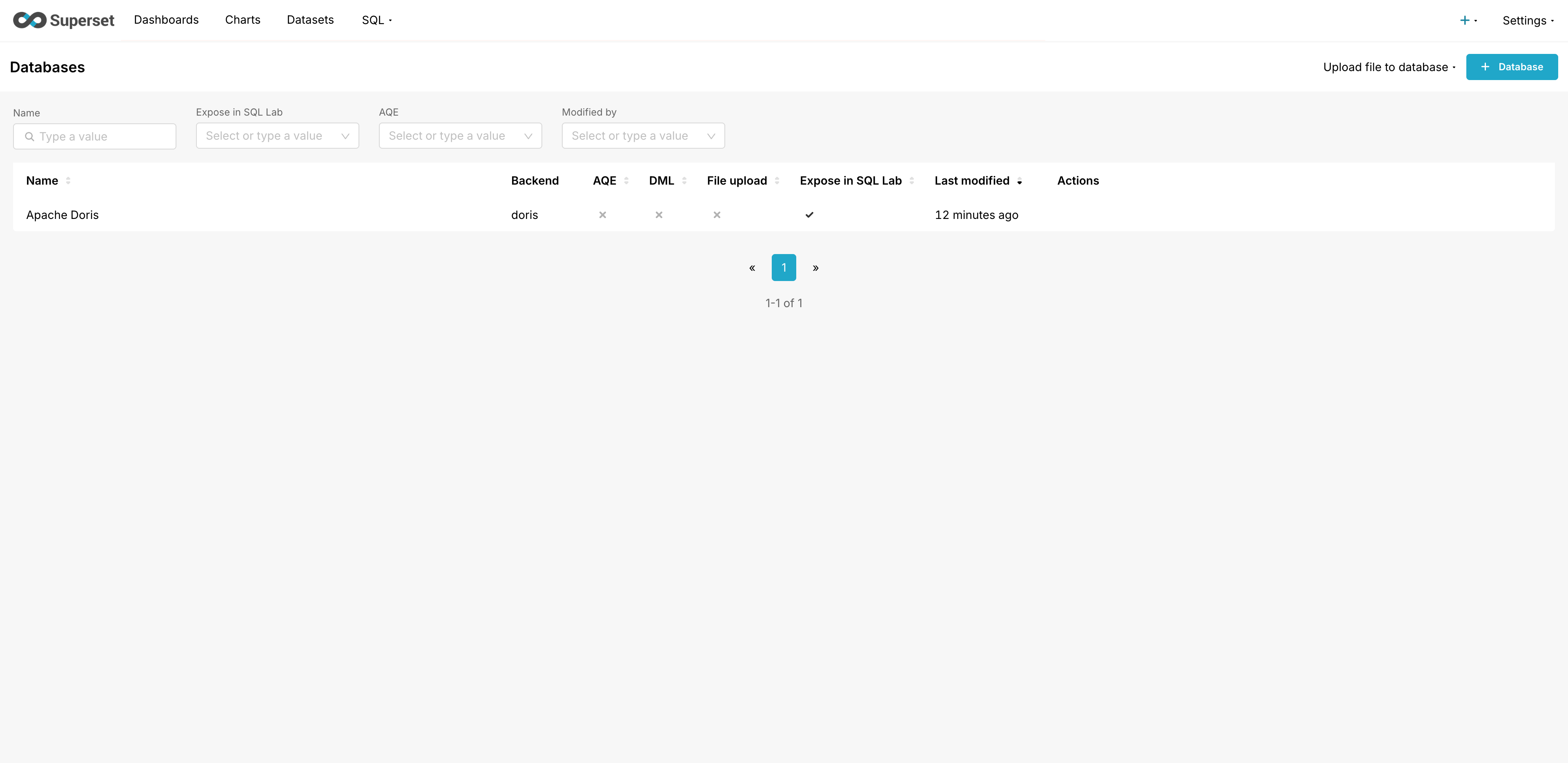
Once added successfully, the data source is shown in the interface.
Step 2: Build a visualization chart
After the data source is configured, you can start building data visualizations.
This article uses the TPC-H dataset as an example to demonstrate how to analyze the trend of order amounts over time across different shipping modes.
Prerequisite: The TPC-H dataset has been loaded into Apache Doris. Refer to the TPC-H data construction guide.
1. Create a Dataset
-
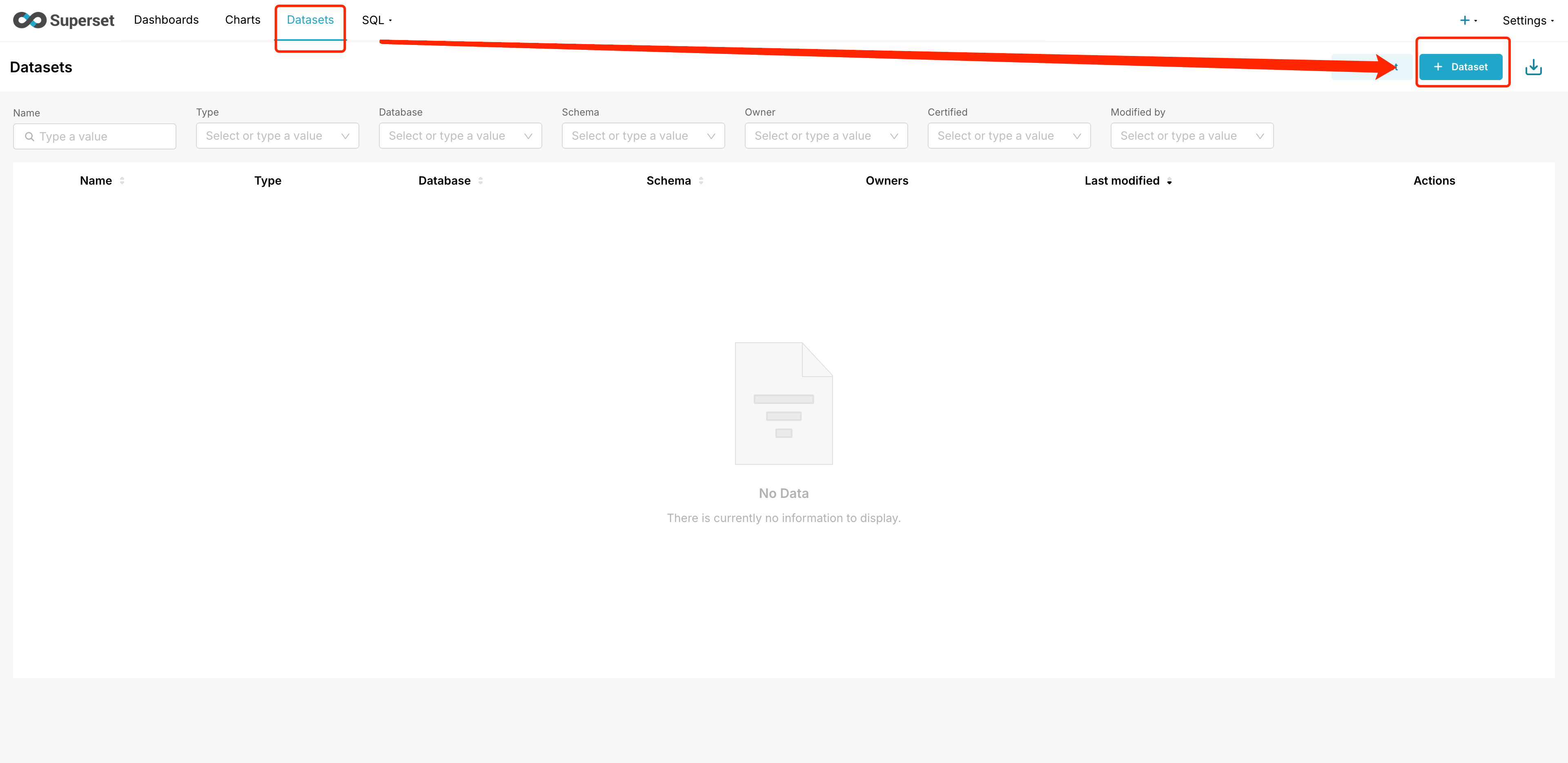
In the left navigation bar, click Datasets, then + Add Dataset.
-
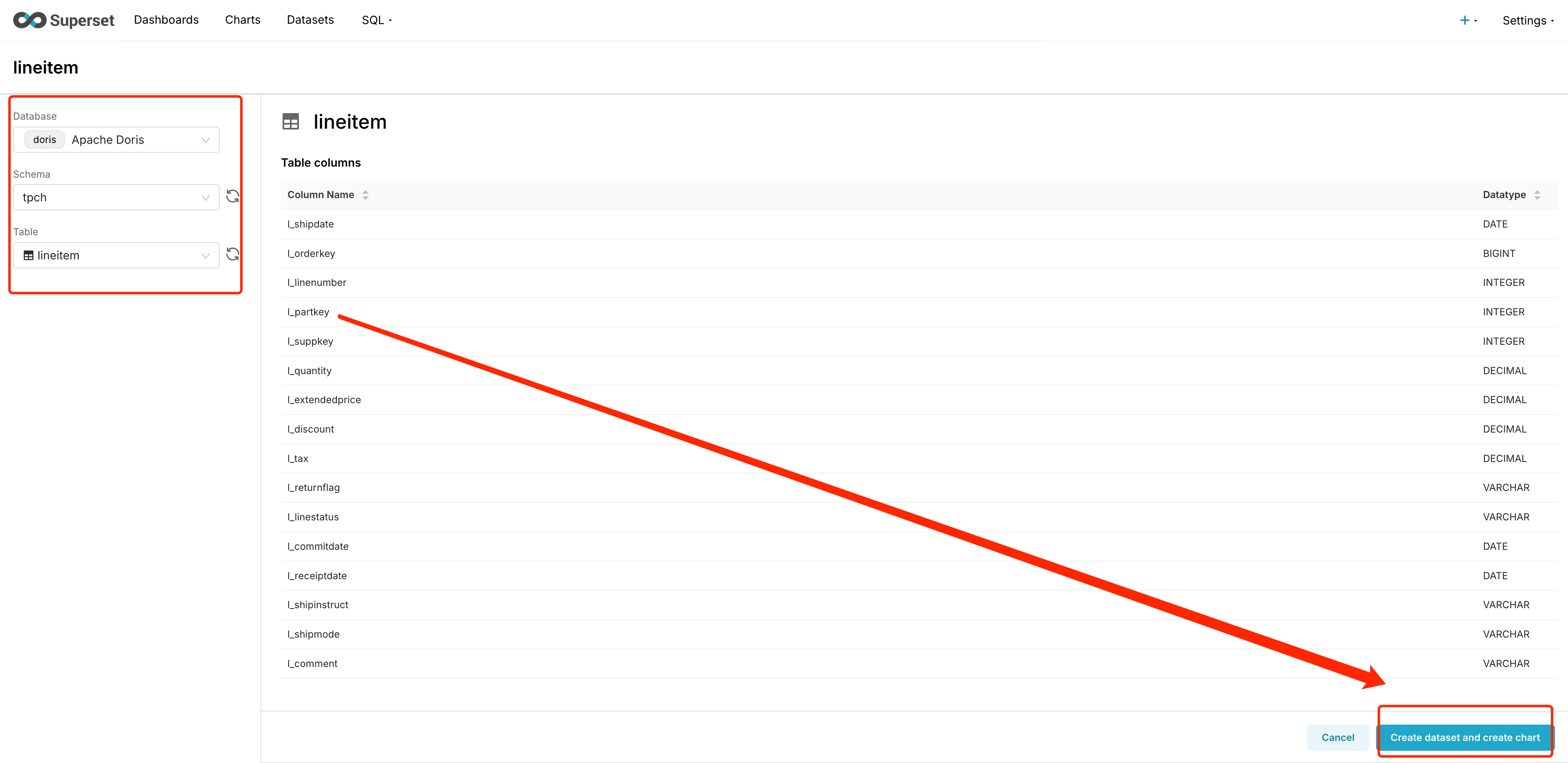
Configure the following options, then click Create dataset and create chart in the lower-right corner:
- Database: Doris
- Schema: tpch
- Table: lineitem
2. Add a custom metric
-
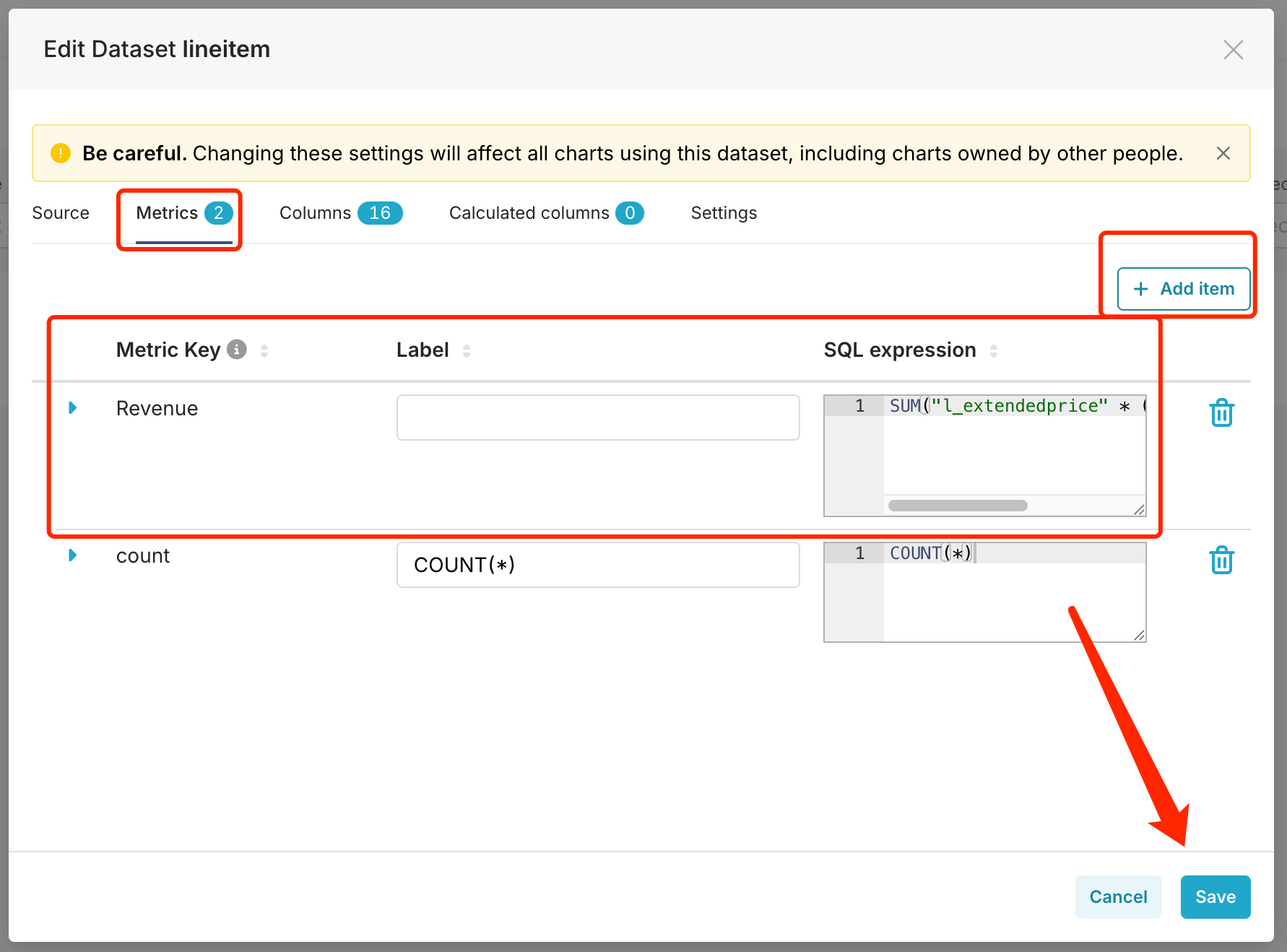
On the Dataset edit page, click Metrics, then Add item, and add a calculated metric:
- Metric Key: Revenue
- SQL Expression:
SUM(l_extendedprice * (1 - l_discount))
3. Create a chart
-
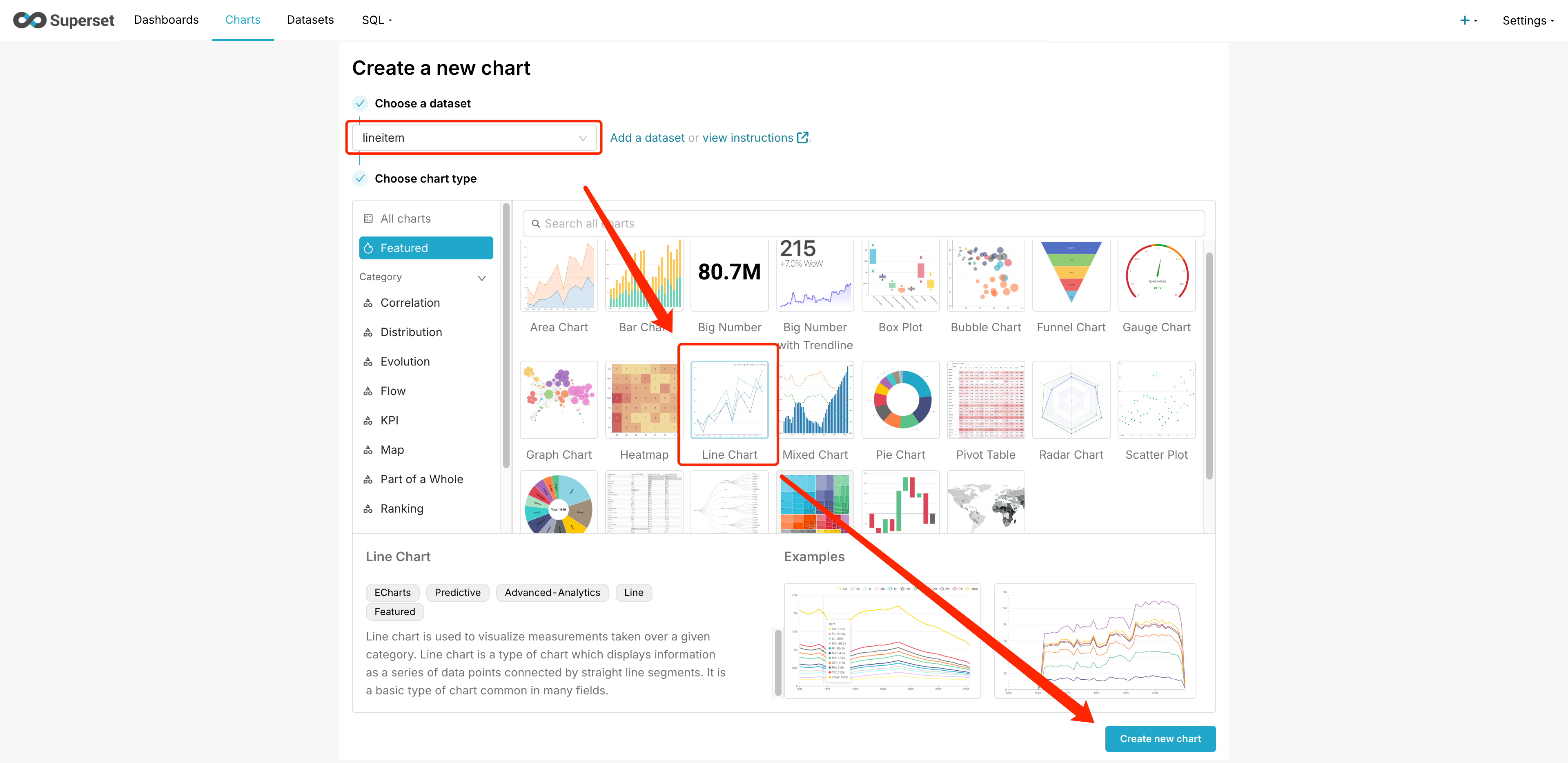
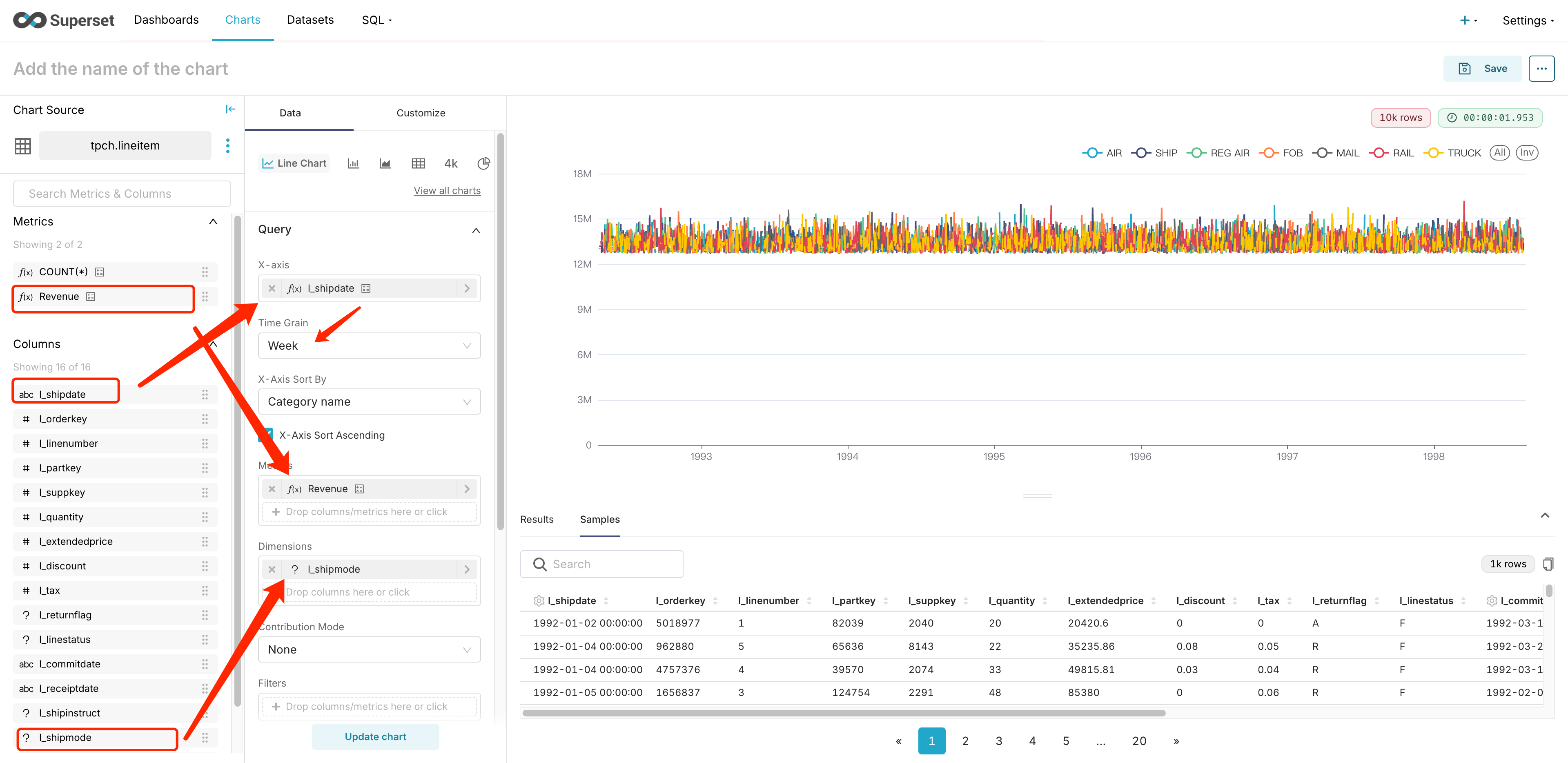
Go to the Chart page, click + Add Chart, select lineitem as the dataset and Line Chart as the chart type.
-
Configure the chart parameters:
- Drag l_shipdate to the X axis and set the time granularity.
- Drag the Revenue metric to the Metrics area.
- Drag the l_shipmode column to the Dimensions area.
-
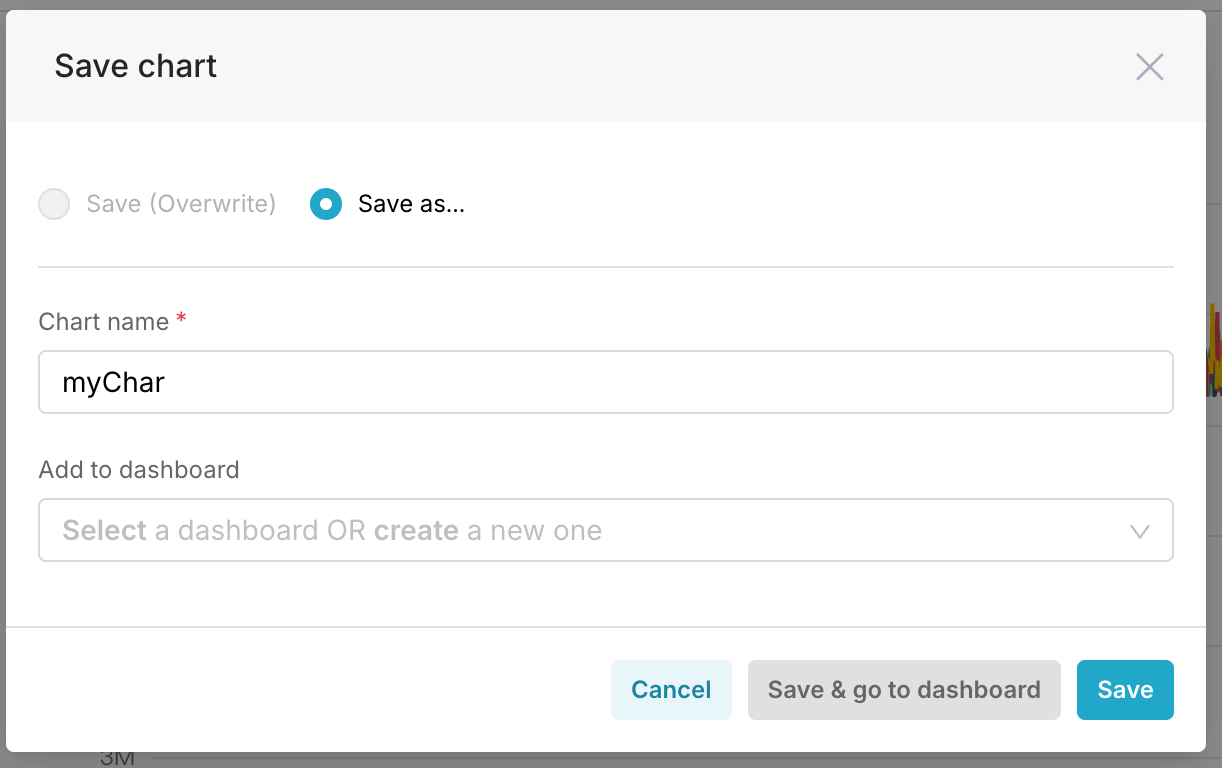
Click Update chart to preview the chart. Once verified, click Save to save the dashboard.
FAQ and tips
Prerequisites
pydorismust be installed in the Superset environment in advance. Otherwise, the Apache Doris option is not available when you create a database.
Performance tuning
| Optimization | Description |
|---|---|
| Table schema design | Design Doris databases and tables based on actual requirements, and partition and bucket by time. |
| Predicate pushdown | Effectively reduces predicate filtering and the amount of data transferred. |
| Network security | Use VPC private connections to avoid the security risk of public network access. |
| Permission control | Refine Doris user account roles and access permissions, and avoid granting excessive privileges. |
Troubleshooting
Q: Apache Doris is not shown as an option when adding a database.
A: Check whether pydoris is installed in the new environment. Superset shows this option only when it detects the Doris driver at runtime. You may need to restart the Superset service after installation.
Q: Connection test fails.
A: Check that the SQLAlchemy URI format is correct, and confirm that the Host, Port, username, and password are reachable. You can use the Doris BE or MySQL Client to verify the connection first.