
Amazon Aurora PostgreSQL
Overview
Doris continuous load supports Amazon Aurora PostgreSQL-Compatible Edition 14 and above. Before synchronizing data, you need to ensure that the Aurora cluster has logical replication enabled. This guide walks you through all prerequisite configuration steps.
Step 1: Check Current Configuration
First, check whether logical replication is enabled by connecting to the Aurora writer instance and running:
SHOW rds.logical_replication;
If the result is on, no parameter group changes are needed. You can skip to Step 4: Create Sync User.
If the result is off, continue with the following steps.
Step 2: Configure Cluster Parameter Group
- Log in to the AWS RDS Console.
- In the left navigation, select Parameter groups, then click Create parameter group.
- Select type DB Cluster Parameter Group and the appropriate Aurora PostgreSQL version family.
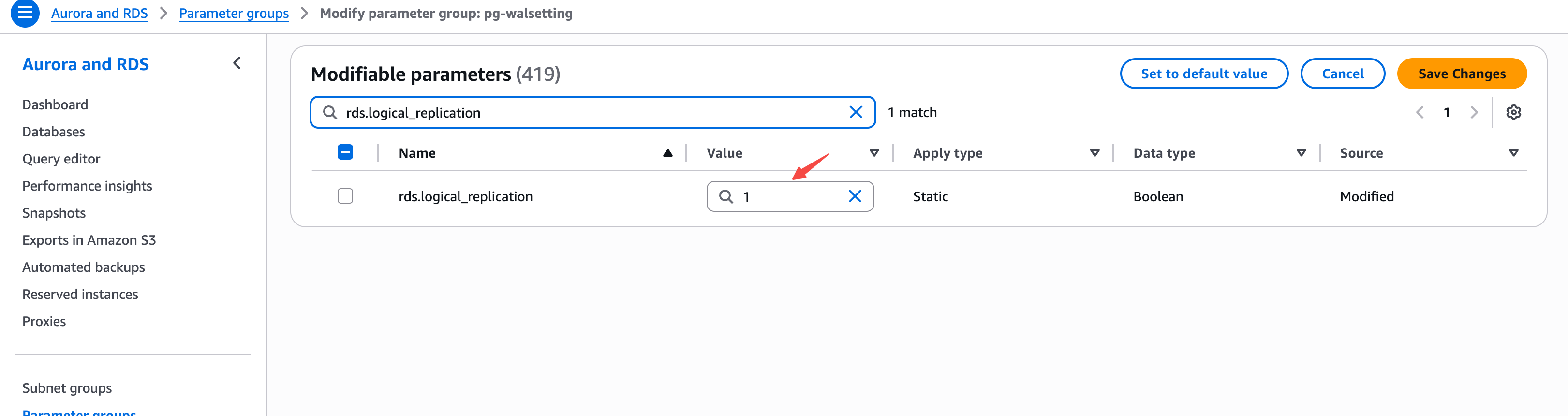
- Edit the cluster parameter group, search for
rds.logical_replication, and set the value to1:
- Click Save Changes.
Step 3: Apply Cluster Parameter Group and Restart
- In the RDS console, select the target Aurora cluster and click Modify.
- Under DB cluster parameter group, select the newly created cluster parameter group.
- Select Apply immediately to apply changes.
- Restart the Aurora writer instance for the changes to take effect.
Modifying the rds.logical_replication parameter requires restarting the Aurora writer instance to take effect. Please perform this during off-peak hours.
Step 4: Create Sync User
Create a dedicated user for Doris continuous load:
CREATE USER doris_sync PASSWORD '<password>';
Grant schema access permissions (using public schema as an example, replace as needed):
GRANT USAGE ON SCHEMA "public" TO doris_sync;
GRANT SELECT ON ALL TABLES IN SCHEMA "public" TO doris_sync;
ALTER DEFAULT PRIVILEGES IN SCHEMA "public" GRANT SELECT ON TABLES TO doris_sync;
Grant replication permission:
GRANT rds_replication TO doris_sync;
Step 5: Create Publication
Run the following SQL to create a Publication:
CREATE PUBLICATION dbz_publication FOR ALL TABLES;
Currently Doris only supports the Publication named dbz_publication with FOR ALL TABLES. Custom Publication names or specifying individual tables are not supported.
Note: If the sync user has superuser privileges (e.g., the
rds_superuserrole), Doris will automatically create the Publication and this step can be skipped.
