Doris on AWS
This document describes how to quickly deploy a Doris cluster on AWS so that you can experience the latest Doris features.
Use cases
If you want to quickly try Doris on AWS, you can choose one of the following two deployment methods:
| Deployment method | Target users | Characteristics |
|---|---|---|
| Deploy with a CloudFormation Template (CFT) | Users who want to quickly launch and try Doris | Configures AWS resources automatically and starts the cluster with minimal configuration |
| Manually purchase AWS resources and deploy by yourself | Users who want to customize the deployment architecture | Full control over resource selection and the configuration process |
This document focuses on the CloudFormation template-based quick deployment method.
Compilation and deployment of the storage-compute decoupled mode is not supported yet.
- The current CloudFormation template only supports three regions: us-east-1, us-west-1, and us-west-2.
- Doris on AWS CloudFormation is mainly used for testing or experiencing Doris. Do not use it in production environments.
Background concepts
What is AWS CloudFormation?
CloudFormation lets you create a "resource stack" in a single step. Among them:
- Resource: things that you create, such as EC2 instances, VPCs, and subnets.
- Stack: a group of such resources.
You can write a template and create a resource stack in a single step according to your own requirements. Compared with manual creation and configuration, CloudFormation has the following advantages:
- Faster creation
- Repeatable execution with better consistency
- Templates can be placed under source control for version management and reused on demand at any time
What is Doris on AWS CloudFormation?
Doris officially provides a Doris CloudFormation Template, which you can use directly to quickly create a Doris cluster of a specified version on AWS, making it easy to try out the latest features.
Preparation before deployment
Before you start the deployment, confirm the following information in advance:
- Determine the VPC and Subnet to deploy to
- Determine the key pair used to log in to the nodes
- Be aware that an S3 VPC Endpoint Interface will be created during the deployment
Deployment steps
Step 1: Enter CloudFormation and create a Stack
In the AWS console, go to CloudFormation and click Create stack.
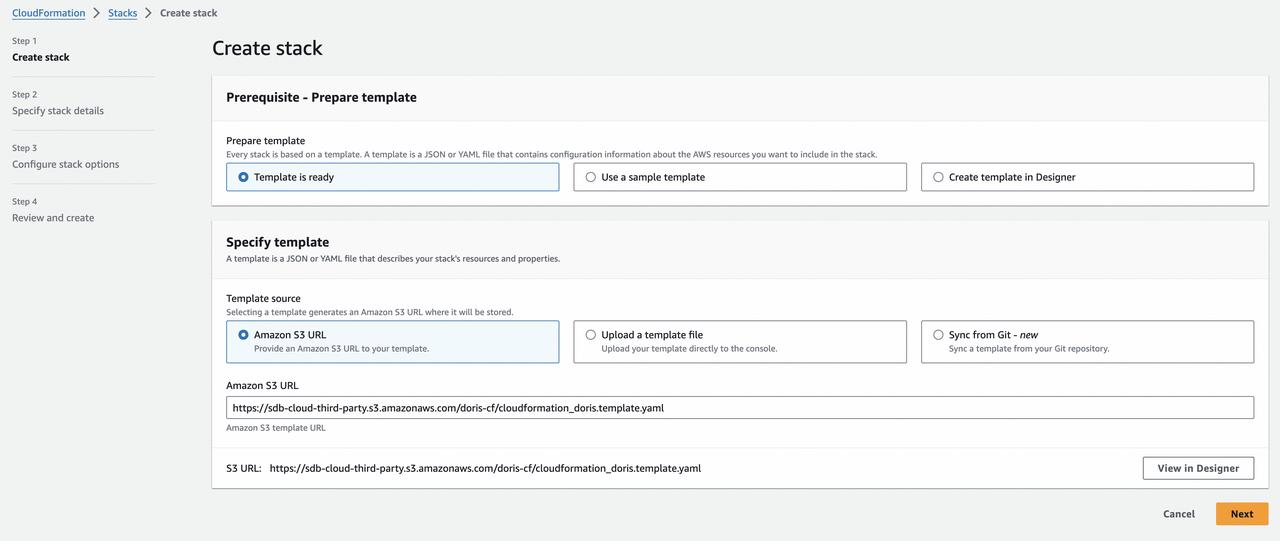
Select Amazon S3 URL as the Template source, and fill in the Amazon S3 URL with the following template link:
https://sdb-cloud-third-party.s3.amazonaws.com/doris-cf/cloudformation_doris.template.yaml
Step 2: Configure template parameters
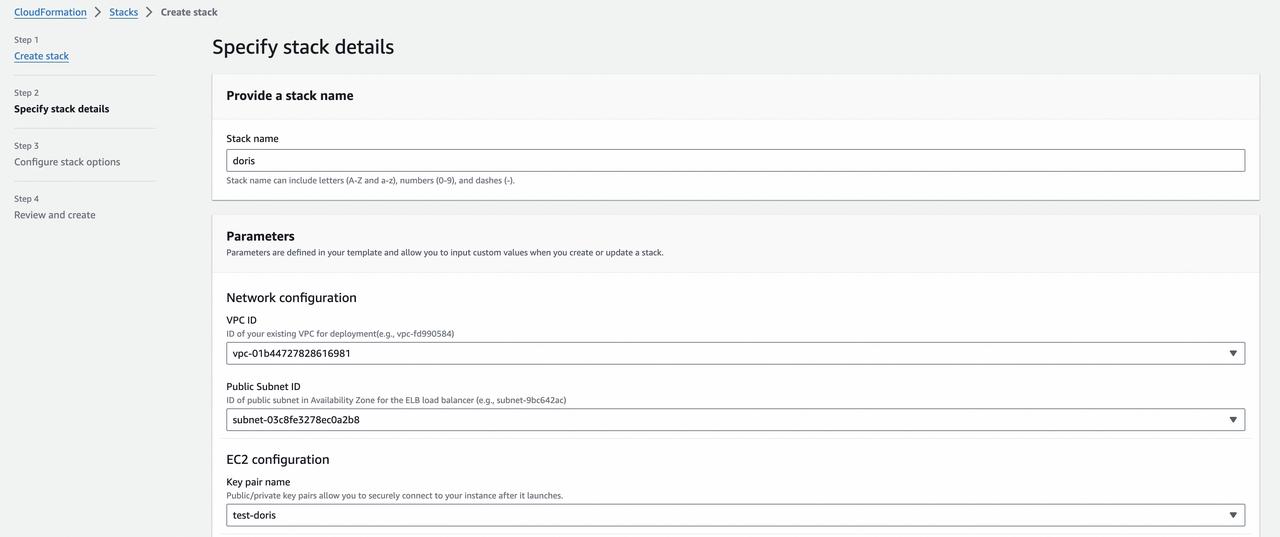
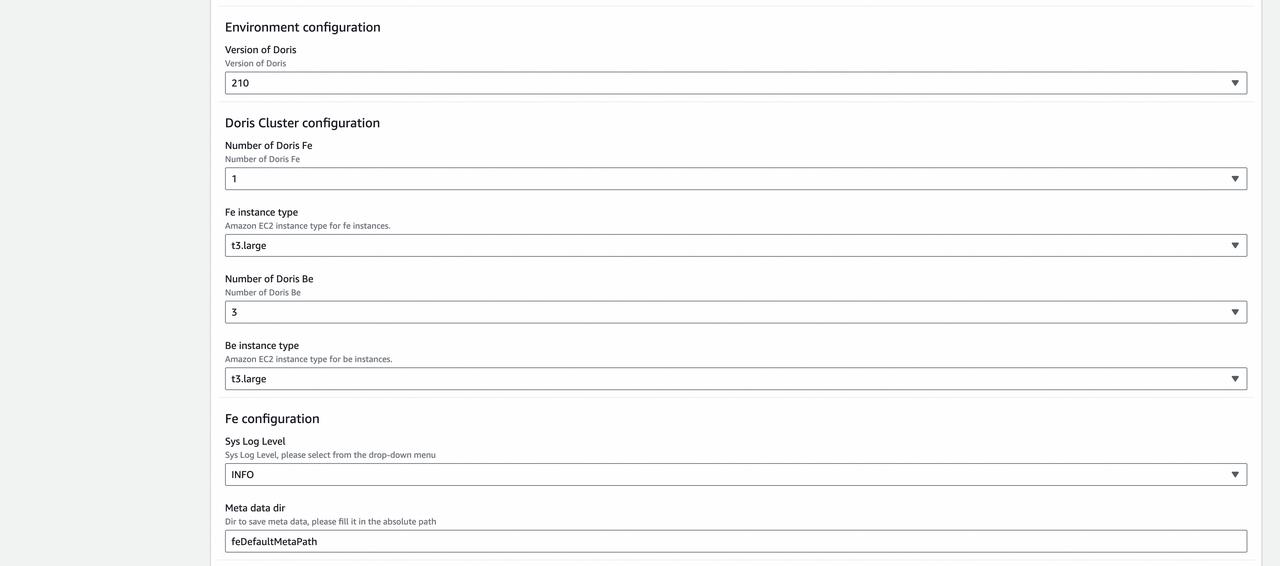
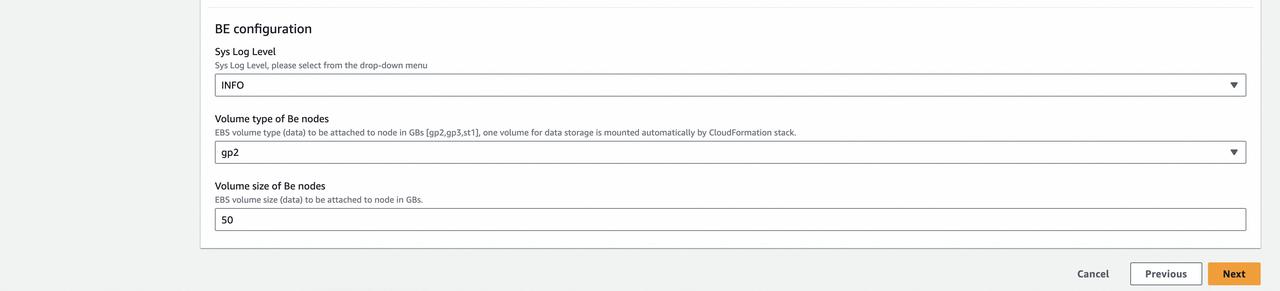
The main parameters are described as follows:
| Parameter | Description | Notes |
|---|---|---|
| VPC ID | The VPC to deploy to | Required |
| Subnet ID | The subnet to deploy to | Required |
| Key pair name | The public/private key pair used to connect to the deployed BE and FE nodes | Required |
| Version of Doris | The Doris version to deploy | For example, 2.1.0, 2.0.6, etc. |
| Number of Doris FE | The number of FEs | The template only allows 1 FE by default |
| Fe instance type | The instance type of the FE | The default value can be used |
| Number of Doris Be | The number of BE nodes | You can choose 1 or 3 |
| Be instance type | The instance type of the BE | The default value can be used |
| Meta data dir | The metadata directory of the FE node | The default value can be used |
| Sys log level | The system log level | The default info can be used |
| Volume type of Be nodes | The volume type of the EBS attached to BE nodes | One disk is attached to each node by default. The default value can be used |
| Volume size of Be nodes | The size of the EBS attached to BE nodes (unit: GB) | The default value can be used |
Connect to the Doris cluster
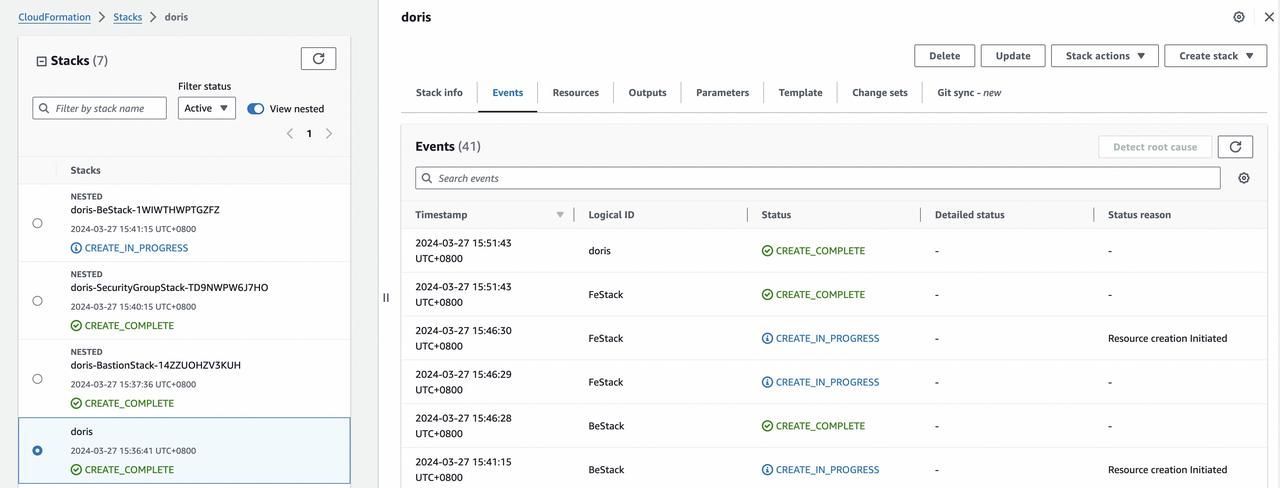
Step 1: Confirm successful deployment
After the deployment succeeds, CloudFormation displays the following result.
Step 2: Get the FE connection address
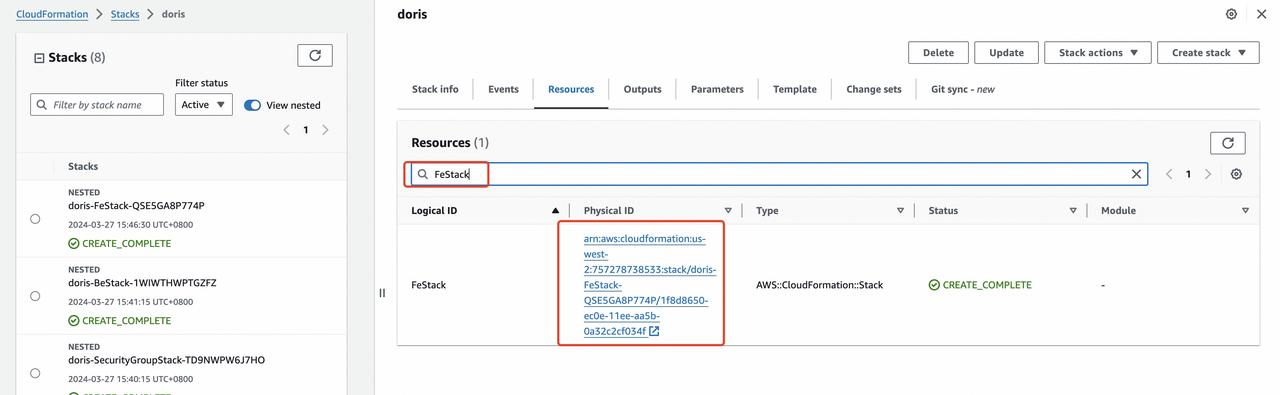
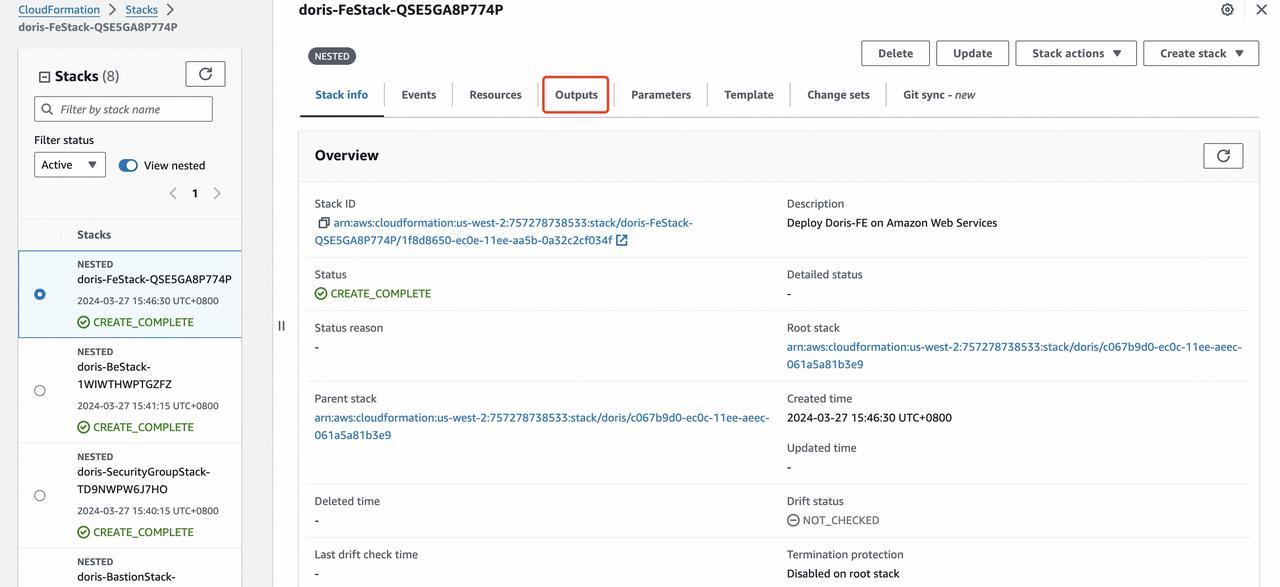
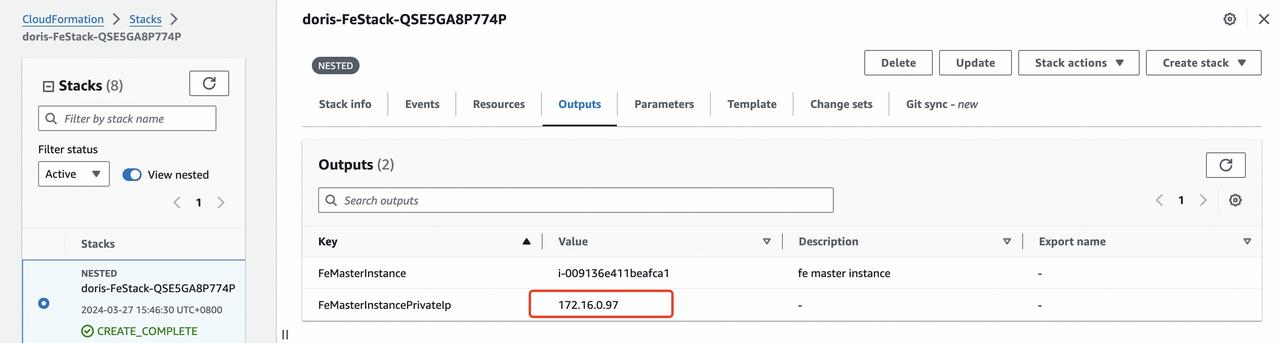
Follow the steps in the screenshots below, go to the Outputs tab of the Stack, and get the FE connection address from the FE Outputs. In the following example, the FE address is 172.16.0.97.
Step 3: Connect to the Doris cluster
After the deployment via CloudFormation is complete, the default connection information of the Doris cluster is as follows:
| Item | Default value |
|---|---|
| FE IP | The FE IP address obtained in Step 2 |
| FE MySQL protocol port | 9030 |
| FE HTTP protocol port | 8030 |
| Default root password | Empty |
| Default admin password | Empty |