DataGrip
Applicable Scenario
DataGrip is a powerful cross-platform database tool from JetBrains that supports both relational and NoSQL databases. Apache Doris is highly compatible with the MySQL protocol, so you can use DataGrip's MySQL data source to connect to Apache Doris and query data in both internal catalog and external catalog.
After reading this article, you can do the following:
- Create a Doris connection using a MySQL data source.
- Configure connection information for an internal catalog or an external catalog.
- Verify the connection and view and manage databases in DataGrip.
Prerequisites
- DataGrip is installed. If it is not installed, visit the DataGrip official website to download and install it.
- Doris cluster connection information is ready, including the FE host IP address, FE query port, target database, username, and password.
The procedures in this article are verified on DataGrip 2023.3.4.
Connect to Doris
1. Add a MySQL data source
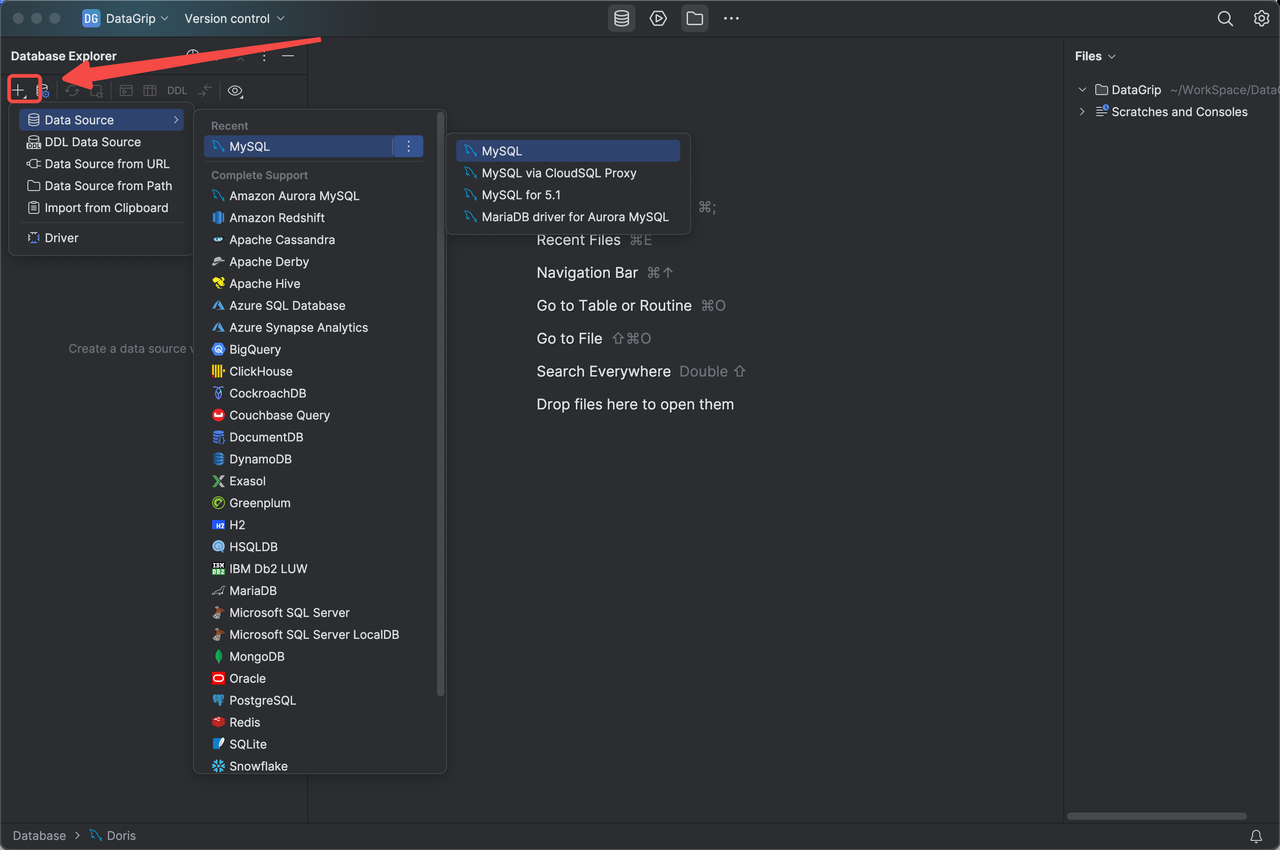
Launch DataGrip, click the plus (+) icon in the upper-left corner of the DataGrip window, and select the MySQL data source.
2. Configure the Doris connection
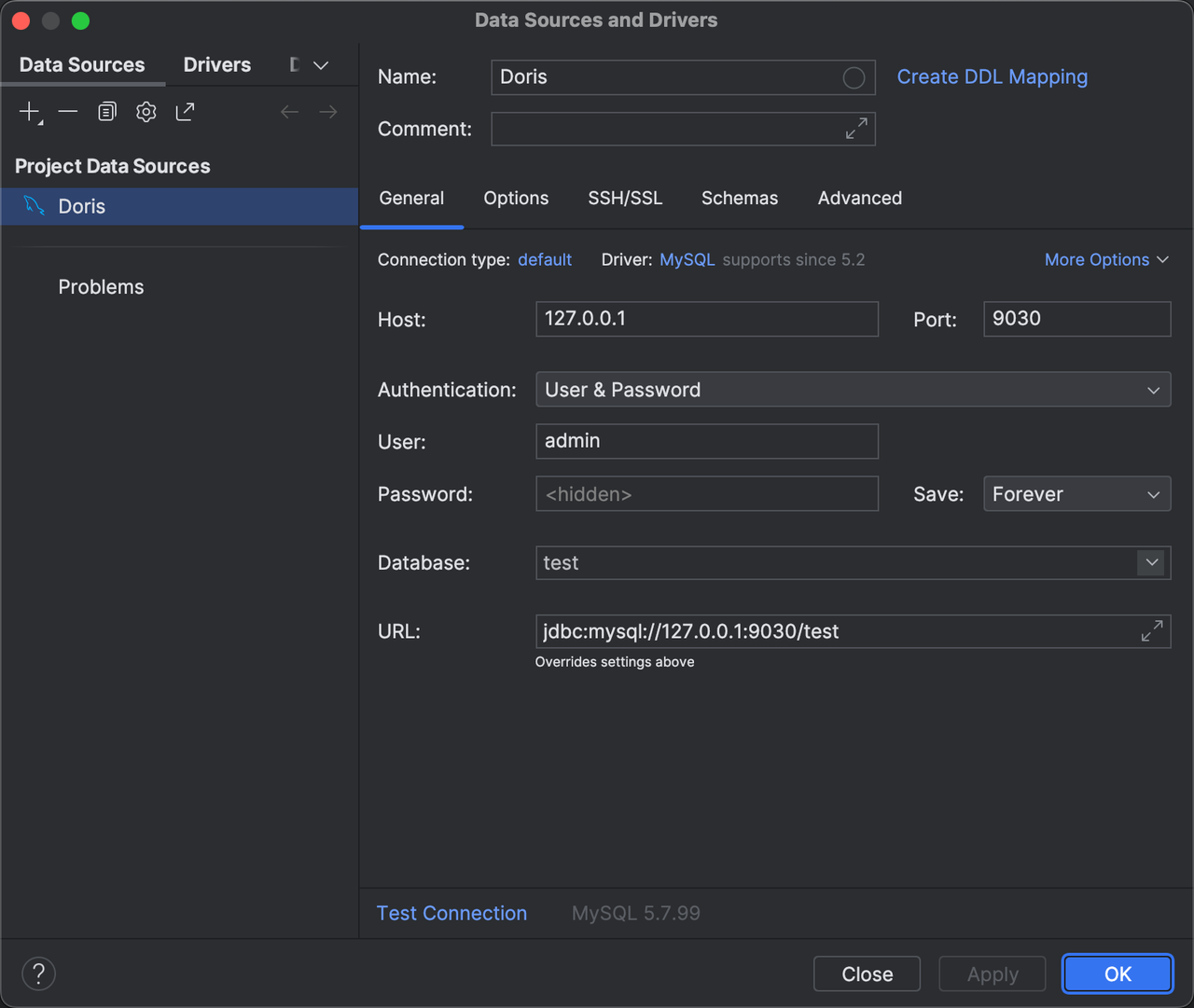
On the General tab in the Data Sources and Drivers window, configure the Doris connection information.
| Configuration item | Description |
|---|---|
| Host | The FE host IP address of the Doris cluster. |
| Port | The FE query port of the Doris cluster, such as 9030. |
| Database | The target database in the Doris cluster. You can also use the catalog.db format to specify a catalog. |
| User | The username for logging in to the Doris cluster, such as admin. |
| Password | The password for logging in to the Doris cluster. |
The Database field can be used to distinguish between internal catalog and external catalog. You can use DataGrip's MySQL data source to create multiple Doris data sources to manage different catalogs in Doris separately.
| How to fill in Database | Default connection |
|---|---|
| Fill in only the database name | Connects to the internal catalog by default. |
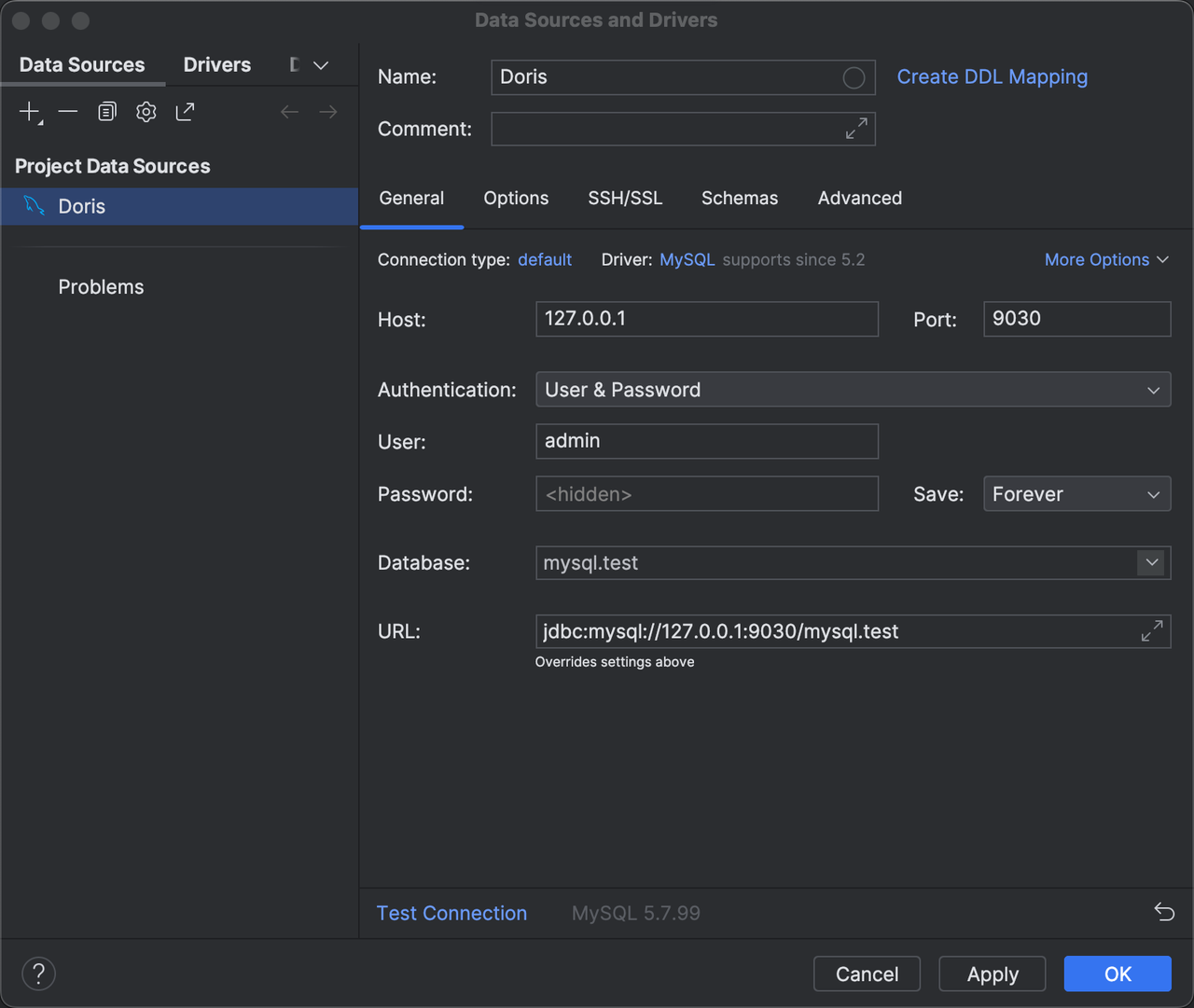
Fill in catalog.db | Connects to the catalog specified in Database by default. The databases and tables shown in DataGrip are also those in the connected catalog. |
Managing Doris external catalog through the catalog.db Database format requires Doris version 2.1.0 or later.
An example of an internal catalog connection is shown below:
An example of an external catalog connection is shown below:
3. Test the data source connection
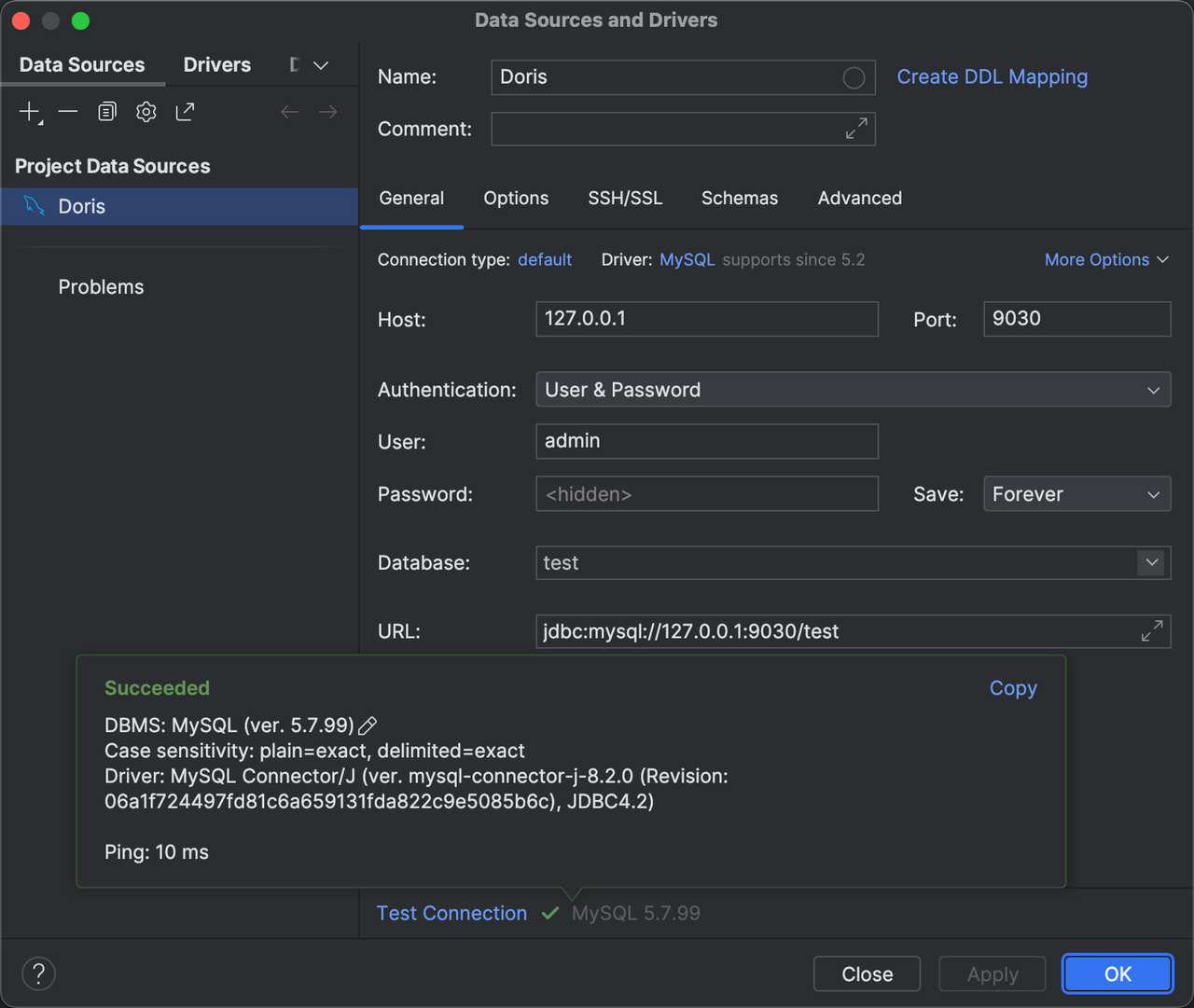
After filling in the connection information, click Test Connection in the lower-left corner to verify the accuracy of the database connection information. When DataGrip returns the following dialog box, the test connection is successful. Then click OK in the lower-right corner to complete the connection configuration.
4. Connect to and manage the database
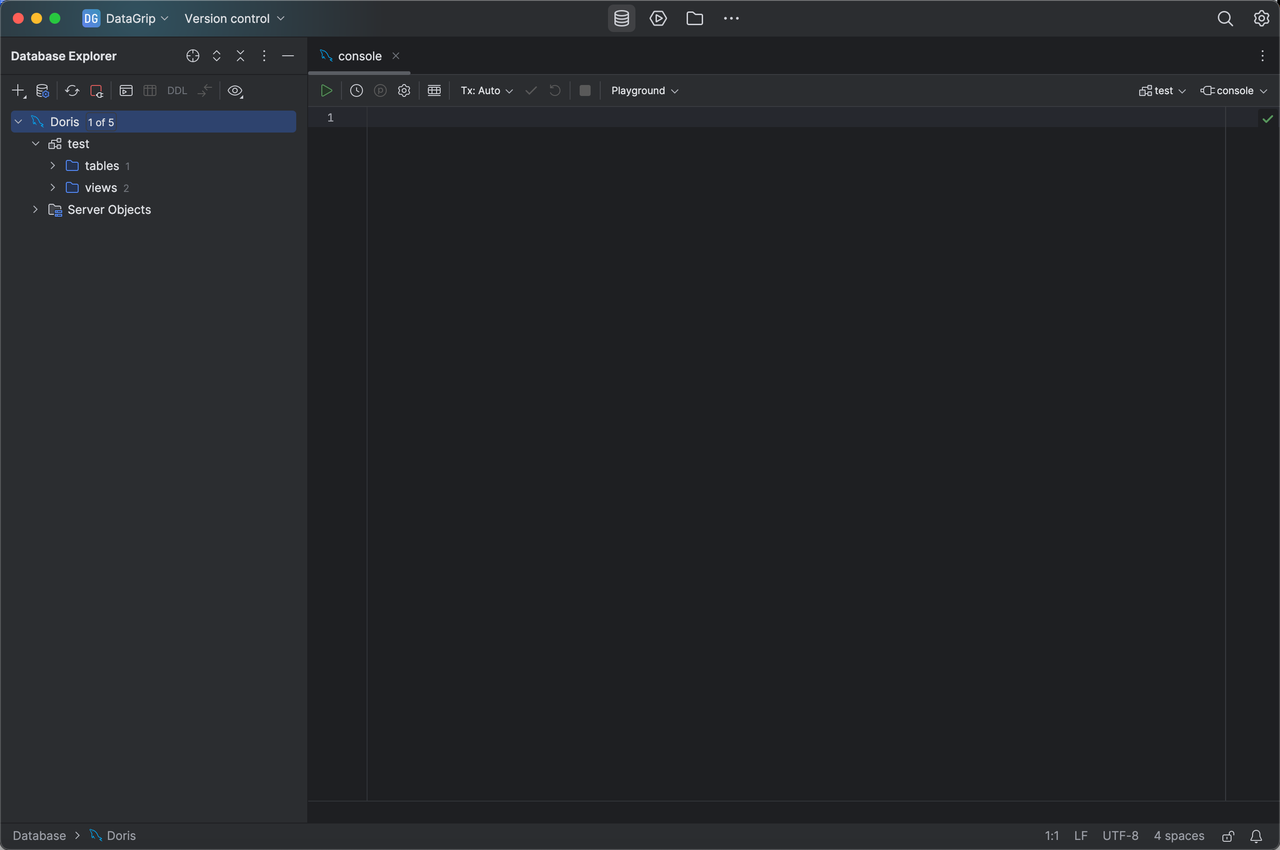
After the database connection is established, you can see the created data source connection in the database connection navigation on the left, and connect to and manage the database through DataGrip.
Feature Support Scope
| Support status | Description |
|---|---|
| Basically supported | Most visual viewing operations, as well as operating Doris by writing SQL through the SQL console. |
| Not supported or not verified | Operations such as creating databases and tables, schema change, and inserting, updating, or deleting data. |